GPT Image 2.6 image generator and editor

Describe a product shot, poster draft or illustration to generate it. Upload a reference image and describe the changes to edit an existing picture.

The light text is an example. Enter your own description to enable generation.

Aspect
Resolution

GPT Image 2.6 / 08

GPT Image 2.6 examples

These 5 images and 3 GIFs were all generated with GPT Image 2.6. The ideas come from widely shared cases and OpenAI's own examples: tiny text, a Song Dynasty social feed, a video site screenshot, an infographic, toy packaging, and a character loop, a reaction GIF and a product spin.

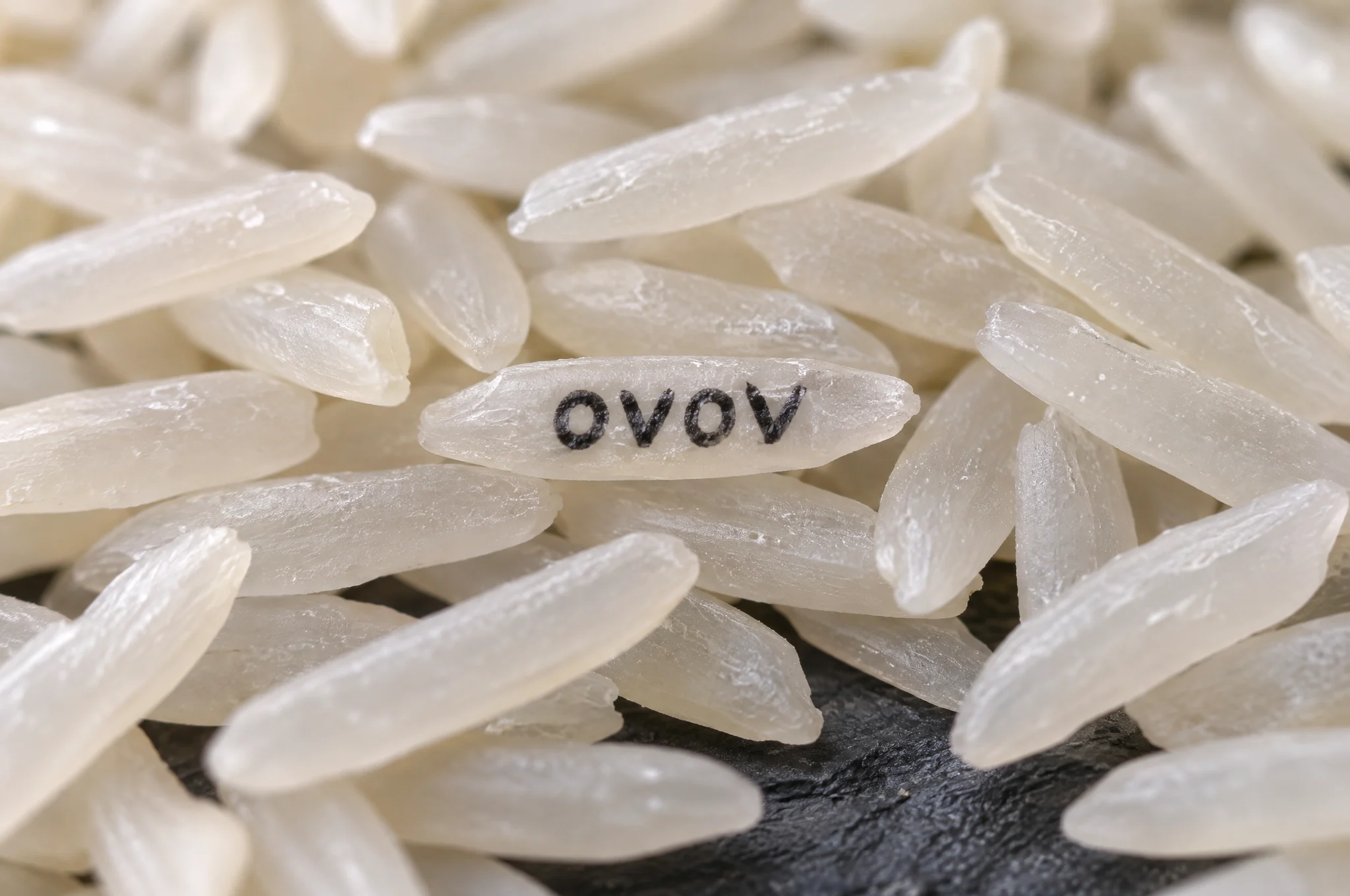
Macro photo of white rice with one grain in the center printed with the black letters OVOV.
01 / 3:2WebP

Text on a grain of rice

In a pile of rice, one single grain reads "OVOV". A quick test of whether the model can render very small text correctly.

View prompt

Extreme macro photograph of a large pile of white jasmine rice on a dark slate surface. On one single grain in the center, tiny hand-painted black letters read "OVOV". Shallow depth of field, the lettered grain in sharp focus, every other grain softly blurred, soft side light showing the texture of the rice. Only that one word appears in the image. No watermark.
Use this example
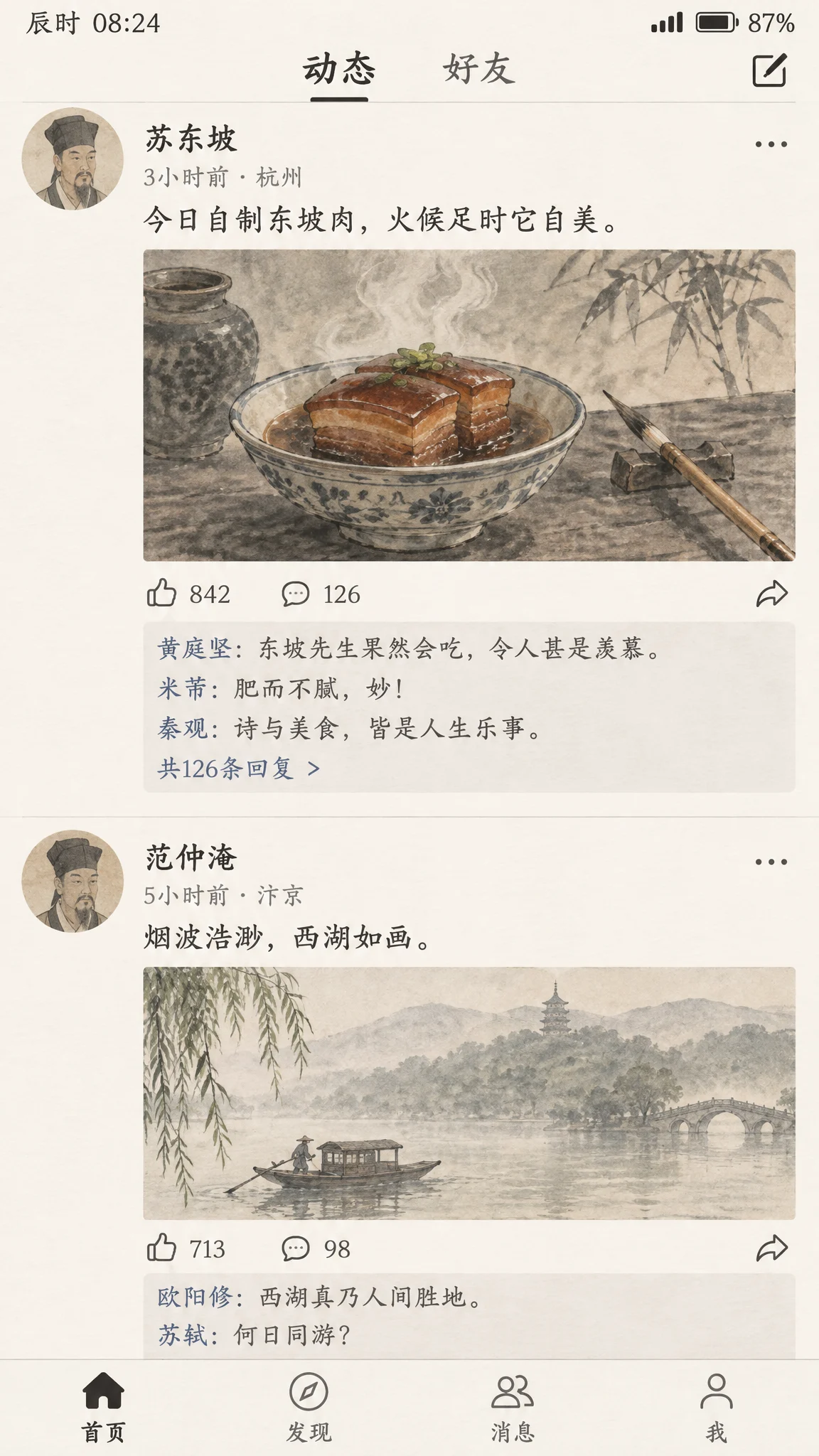
Phone social feed screenshot where Su Dongpo posts an ink-wash picture of braised pork, with replies from other poets.
02 / 9:16WebP

Song Dynasty social feed

Su Dongpo posts his braised pork and poets such as Huang Tingjian and Mi Fu reply, with ink-wash pictures.

View prompt

A realistic smartphone screenshot of a social media feed, reimagined as if it existed in the Song Dynasty. The top post is by the poet Su Dongpo: an ink-wash photo of a steaming bowl of braised pork beside a calligraphy brush, with the caption in Chinese "今日自制东坡肉,火候足时它自美". Below it are likes and short replies from other Song Dynasty literati in Chinese, plus a second post showing a misty West Lake boat scene. Clean modern app layout with avatars, timestamps and like icons, but every image inside uses traditional Chinese painting style. All Chinese text must be legible and correctly written. No real app logos, no watermark.

Use this example
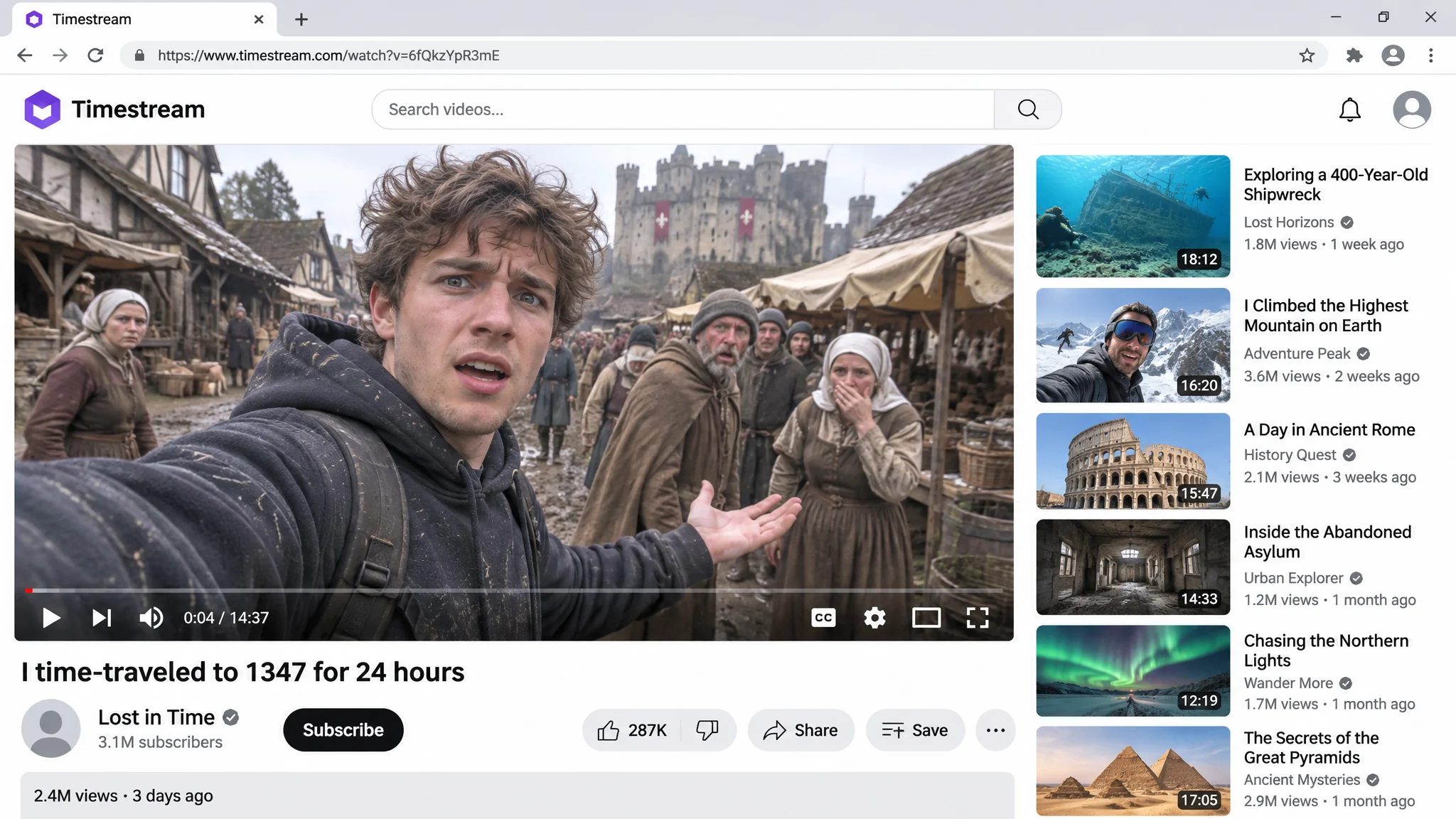
Video site page whose main video shows a man in a hoodie taking a selfie in a medieval market, with recommended videos on the right.
03 / 16:9WebP

Time-travel video screenshot

A made-up video site page: a vlogger takes a selfie in a medieval market, with a readable title, view count and recommendations.

View prompt

Screenshot of a video platform page in a desktop browser. The main video player shows a vlogger in a modern hoodie filming a selfie in a muddy medieval village market, with confused villagers, wooden stalls and a castle in the background. Video title under the player: "I time-traveled to 1347 for 24 hours". Below it: a generic channel avatar, the channel name "Lost in Time", a subscribe button and the line "2.4M views · 3 days ago". A column of recommended video thumbnails on the right. The site logo in the top-left corner is a purple rounded hexagon with the word "Timestream" next to it; do not use any red play-button logo or any real video platform branding. All text crisp and correctly spelled. No watermark.

Use this example
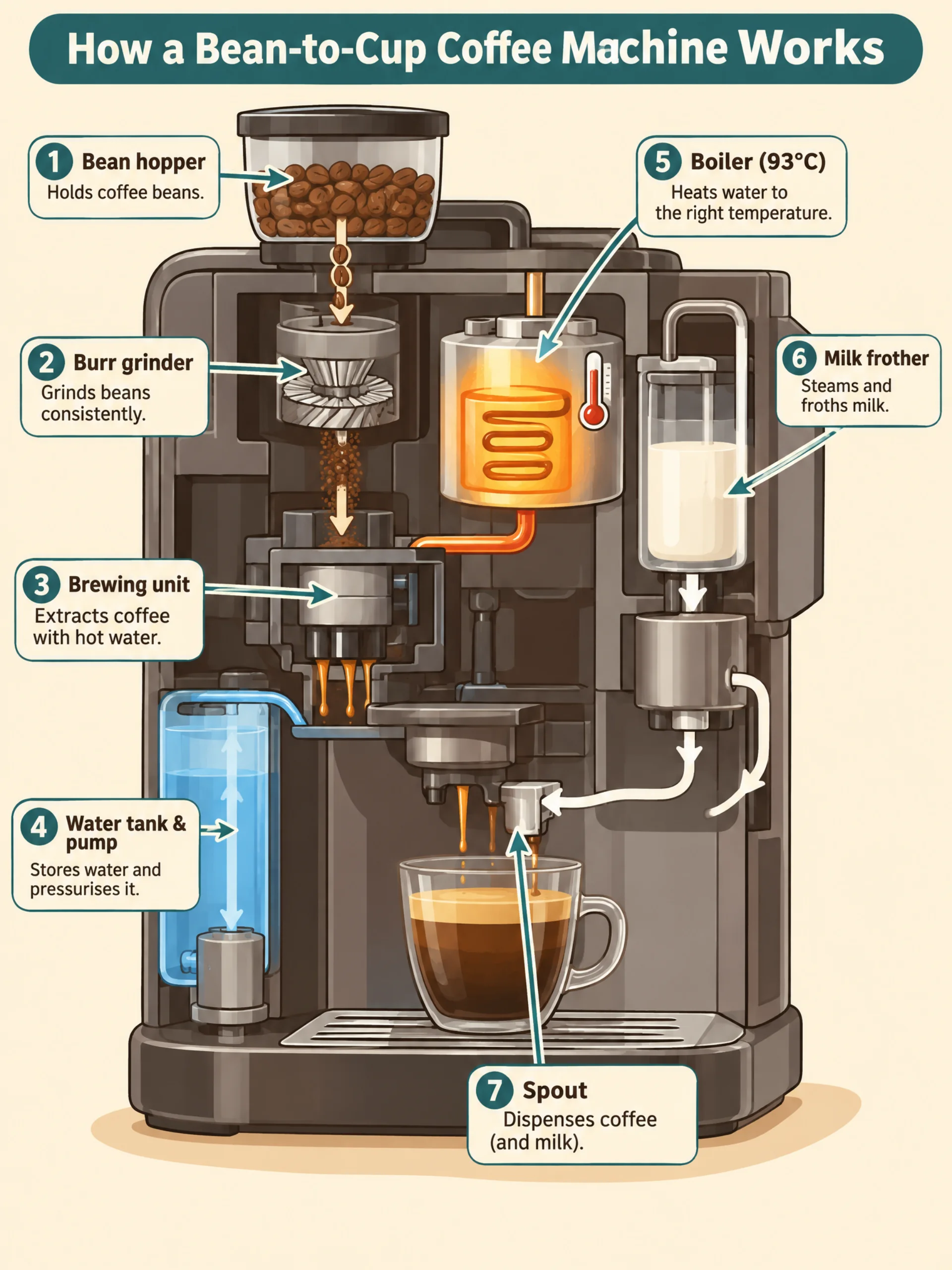
Cutaway infographic of an automatic coffee machine labeling the hopper, grinder, brewing unit, water tank, boiler, milk frother and spout.
04 / 3:4WebP

Coffee machine infographic

Steps 1 to 7 label each part of a bean-to-cup machine, from the bean hopper and grinder to the spout, with one line per step.

View prompt

A clean educational infographic titled "How a Bean-to-Cup Coffee Machine Works". A cutaway illustration of a generic automatic espresso machine, with numbered callouts in order: "1 Bean hopper", "2 Burr grinder", "3 Brewing unit", "4 Water tank & pump", "5 Boiler (93°C)", "6 Milk frother", "7 Spout". Thin arrows show the path of beans, water and milk. Warm cream background, coffee-brown and teal accents, flat vector style, clear sans-serif labels, one short caption under each step. All text spelled exactly as written. No brand names, no watermark.

Use this example
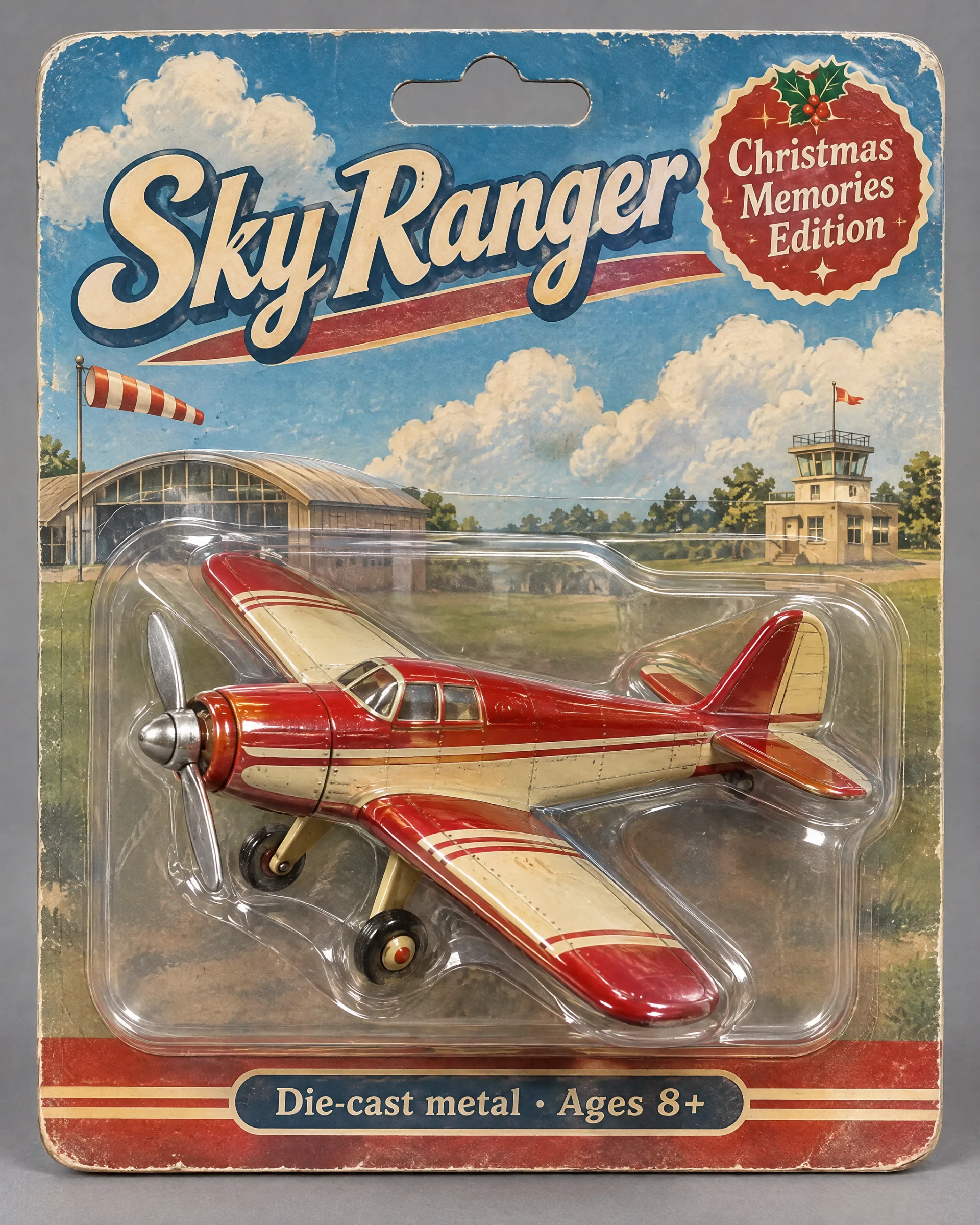
Red and cream vintage toy plane in a blister pack labeled Sky Ranger and Christmas Memories Edition.
05 / 4:5WebP

Vintage toy plane packaging

A red and cream tin toy plane in a blister pack. The title and small print on the card match the prompt.

View prompt

Product photo of a collectible vintage toy propeller airplane sealed in a retro blister pack. The plane is painted cherry red and cream with a tin finish, held in a clear plastic shell on an illustrated cardboard backing showing clouds and a small airfield. Package text: large title "Sky Ranger", a badge "Christmas Memories Edition", and a small line "Die-cast metal · Ages 8+". Soft studio light, slight reflections on the plastic, neutral grey backdrop. All text spelled exactly as written. No real brand logos, no watermark.

Use this example
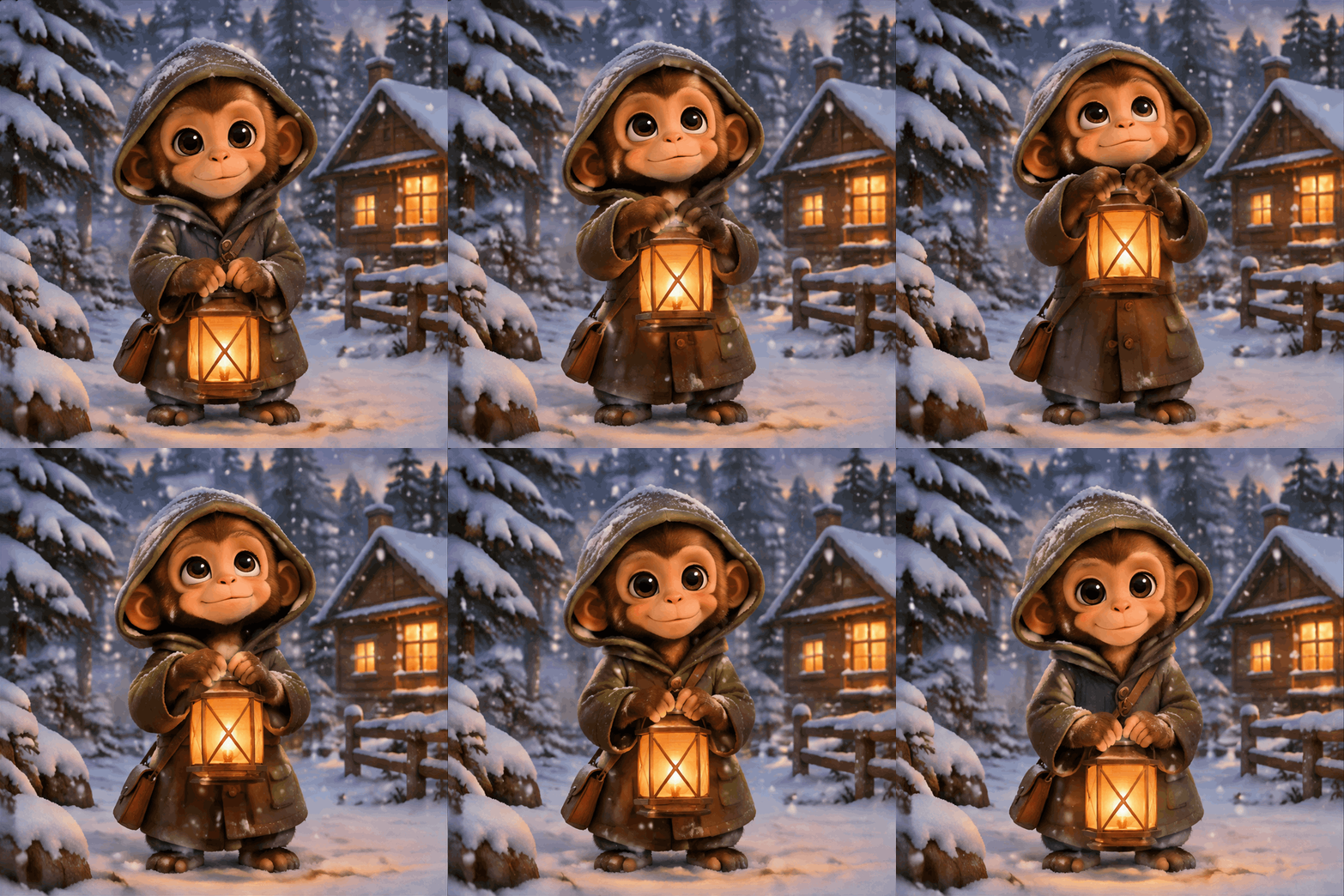
06 / 1:1512 × 512

Monkey with a lantern (GIF)

OpenAI's own GIF example: a little monkey in the snow raises a lantern, blinks and lowers it again, on a loop.

View prompt

A seamless looping animated GIF. A little monkey in an olive-green hooded coat stands in a snowy pine forest at dusk, with a glowing wooden cabin in the background. The monkey holds an amber paper lantern at chest height, slowly raises it, looks up and blinks, then lowers it back to the starting pose. The lantern stays in its hands the whole time, gentle snow falls, the camera does not move. Warm storybook illustration style. Make the motion loop smoothly. No text.

Use this example
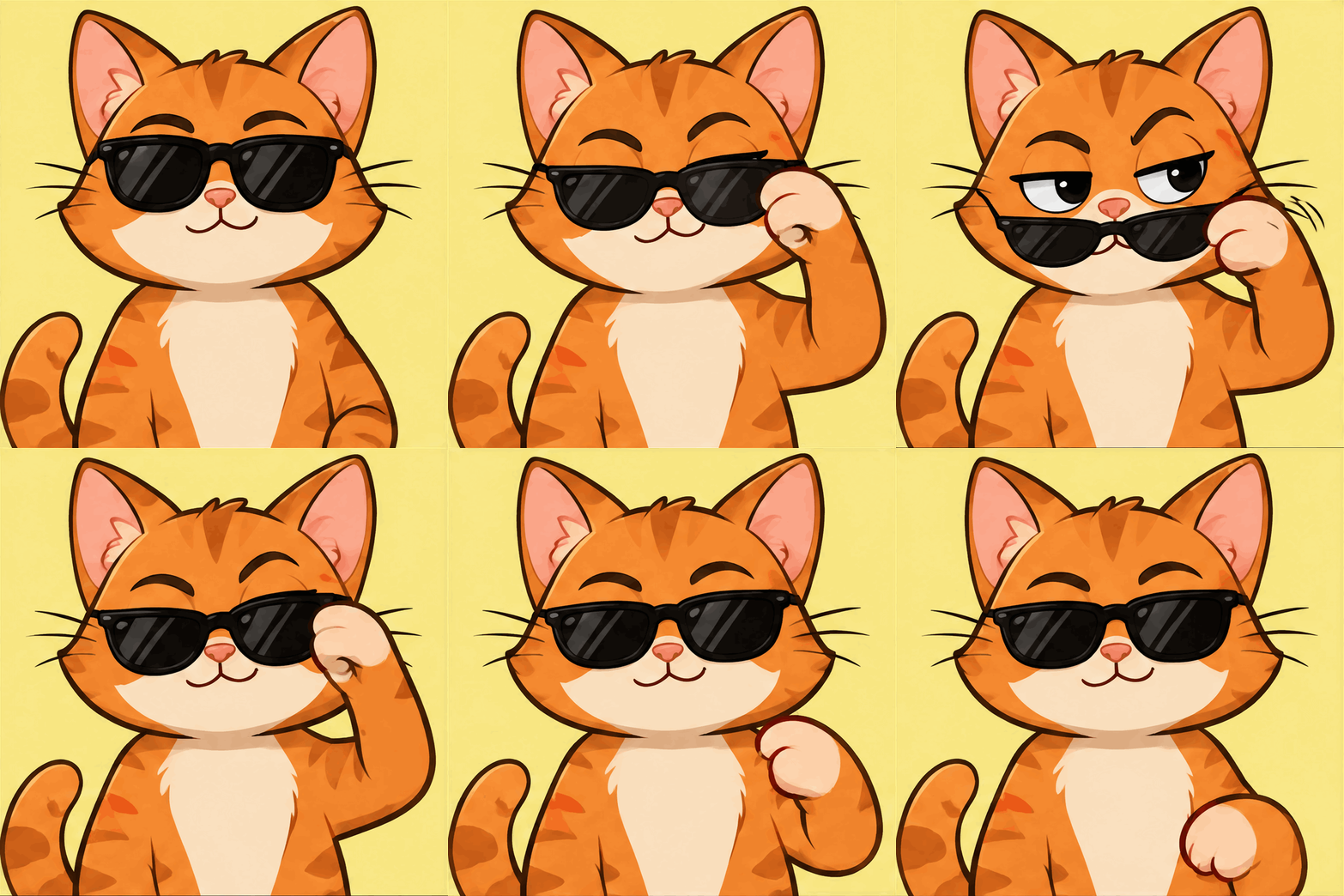
07 / 1:1512 × 512

Cat lowering its sunglasses (GIF)

A reaction GIF: an orange cat pulls down its sunglasses, raises an eyebrow and pushes them back up.

View prompt

A seamless looping reaction GIF. A cartoon orange cat sits facing the camera wearing black sunglasses. It slowly lowers the sunglasses with one paw, raises one eyebrow with a smug look, then pushes the sunglasses back up and returns to the starting pose. Large character filling most of the frame, bold flat colors, clean outlines, plain soft yellow background, camera does not move, the last frame flows back into the first. No text.

Use this example
08 / 1:1512 × 512

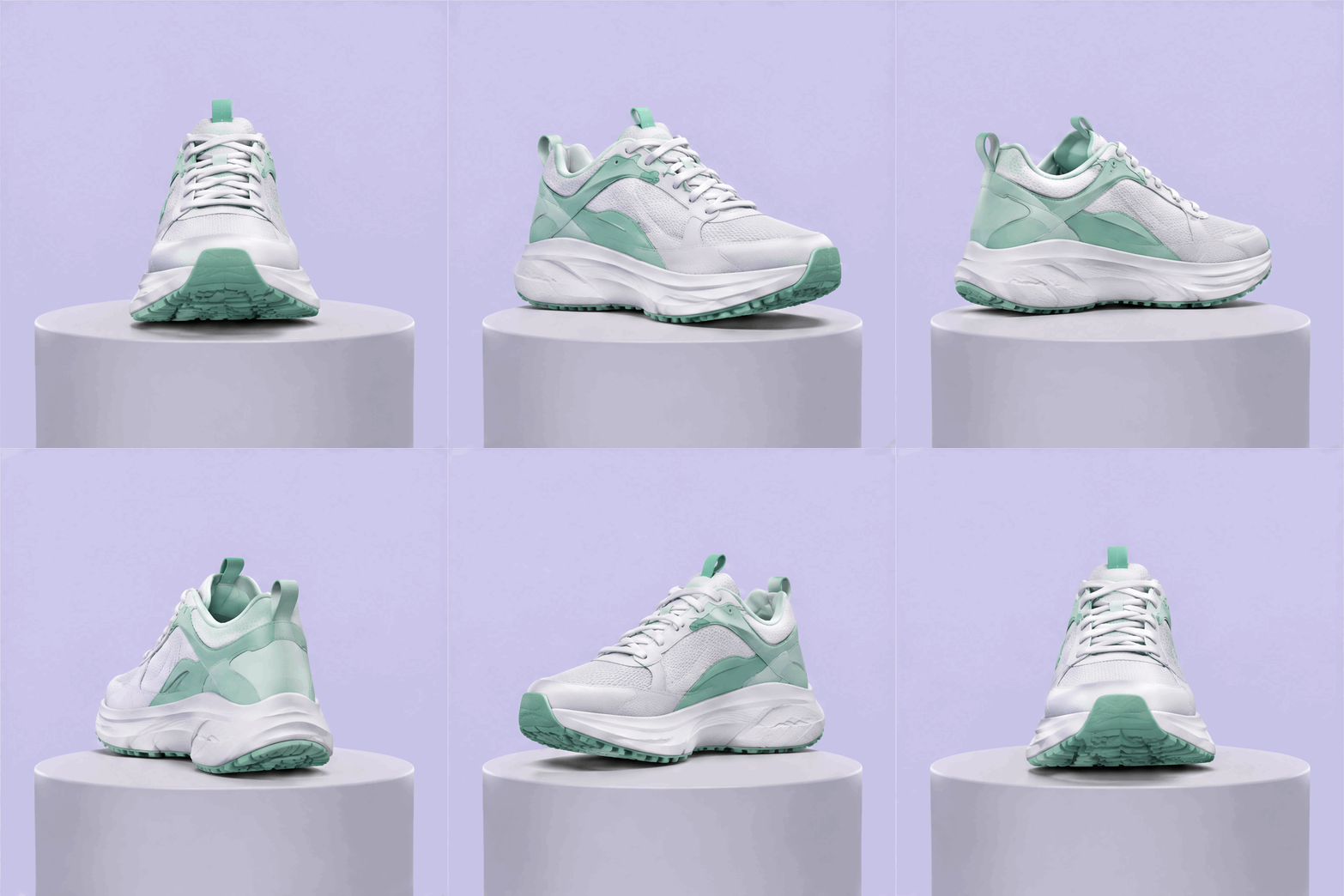
Sneaker 360° spin (GIF)

A product loop: a sneaker turns a full circle on a pedestal and stays the same size and position.

View prompt

A seamless looping product GIF of a white and mint-green running sneaker rotating a full 360 degrees on a small round light-grey pedestal. Soft studio lighting with a gentle shadow under the shoe, plain pale lavender background, the sneaker stays centered and the same size in every frame, the camera does not move, smooth even rotation so the last frame flows back into the first. No logos, no text.

Use this example

What to make with GPT Image 2.6

GPT Image 2.6 is OpenAI's newest image model and generates faster than 2.5. For text-only prompts, OVOV uses the faster Flare version. When you upload reference images to edit, OVOV uses Sunburst, which keeps details more consistent between edits. You don't pick a version yourself, and both cost the same.

Available settings

Resolution
1K / 2K / 4K / GIF
Aspect ratios
auto · 1:1 · 3:2 · 2:3 · 4:3 · 3:4 · 5:4 · 4:5 · 16:9 · 9:16 · 2:1 · 1:2 · 21:9 · 9:21 · 3:1 · 1:3
Reference images
4

Text to image and image editing

  • 1K — 6 credits
  • 2K — 8 credits
  • 4K — 10 credits
  • GIF — 10 credits

Confirm the current credit quote for your selected settings in the workspace.

View plans and credit packs

What this model supports

Text-to-image, reference-image editing and three output sizes.

Generate from text

Describe the subject, setting, composition and intended use. Put any text that should appear in quotation marks.

Edit with reference images

Upload up to four images and say what should stay and what should change.

Make GIF animations

In text-to-image, set the resolution to GIF to get a loop about 1.4 seconds long, for 10 credits each.

How to start

Generate one version, review it, then adjust your description.

1

Enter a description

Describe the subject, setting and use. To change an existing image, upload it as a reference first.

2

Choose aspect ratio and resolution

Pick the aspect ratio and output size, check the credit quote, then click “Start Creating”.

3

Review and download

Check text, edges and product details. To make changes, adjust one instruction at a time.

Try this prompt

Example prompt

An amber glass bottle of face serum on a light grey stone counter, with two fresh eucalyptus leaves beside it. Soft top light, blurred background. Add the headline “Night Repair” in the top-left corner.

Check the rendered text before using the image in a final layout.

Before you generate

GPT Image 2.6: common questions

Versions, cost and what to expect.