GPT Image 2.6 이미지 생성 및 편집 도구

상품 사진, 포스터 초안이나 일러스트를 설명하면 이미지를 생성합니다. 참조 이미지를 업로드하고 변경 내용을 설명하면 기존 이미지를 편집할 수 있습니다.

연한 글씨는 예시입니다. 설명을 입력하면 생성 버튼을 누를 수 있습니다.

비율
해상도

GPT Image 2.6 / 08

GPT Image 2.6 생성 예시

아래 이미지 5장과 GIF 3개는 모두 GPT Image 2.6으로 생성했습니다. 널리 공유된 사례와 OpenAI 공식 예시에서 주제를 골랐습니다: 아주 작은 글자, 송나라 SNS 화면, 동영상 사이트 스크린샷, 인포그래픽, 장난감 패키지, 그리고 캐릭터·리액션·상품 회전 GIF.

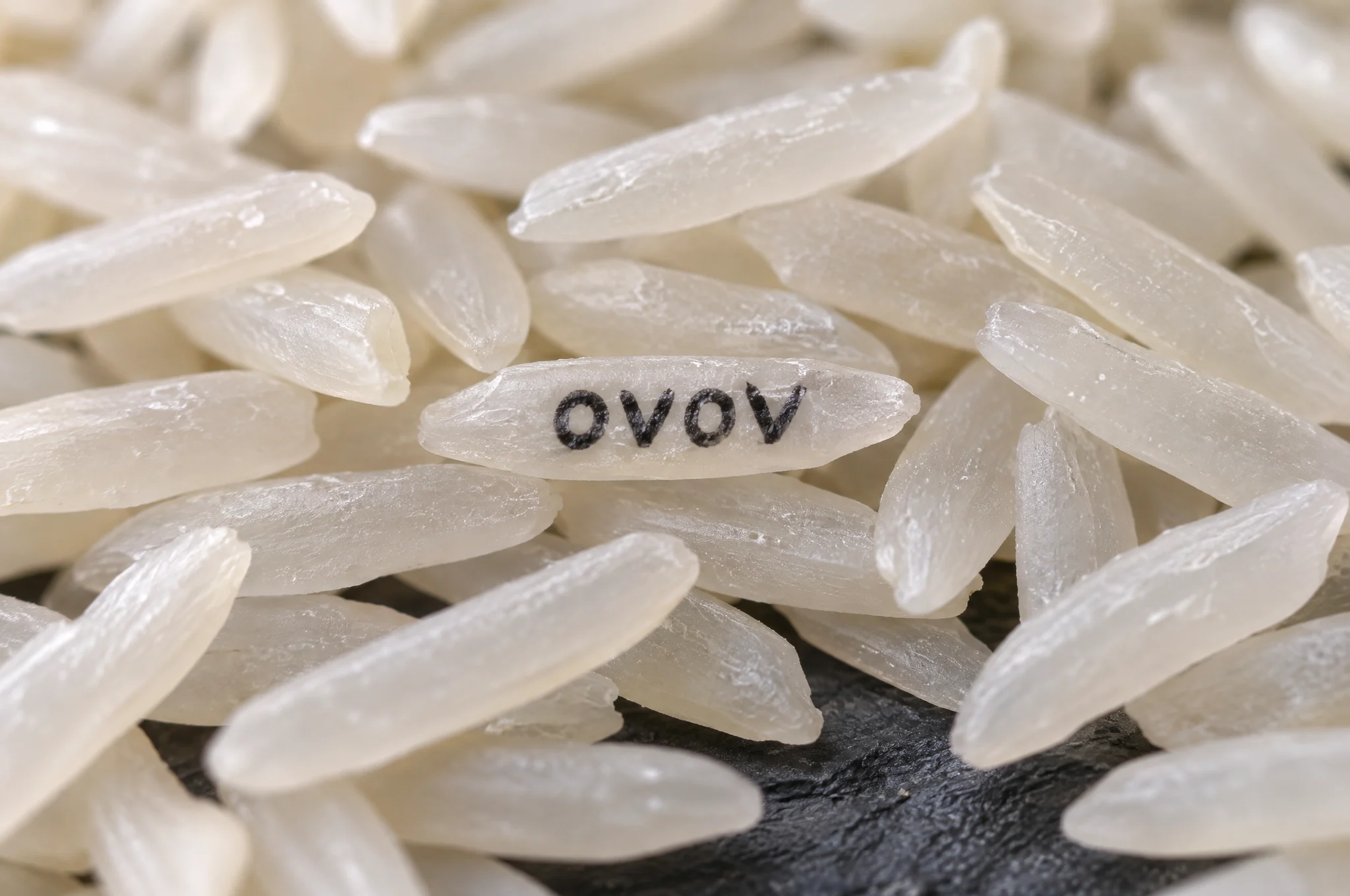
흰쌀 접사 사진. 가운데 쌀알 하나에 검은 글자로 OVOV가 인쇄되어 있다.
01 / 3:2WebP

쌀알 위의 글자

쌀 더미 속 단 한 알에만 “OVOV”가 적혀 있습니다. 아주 작은 글자를 정확하게 표현하는지 확인하는 예시입니다.

생성에 사용한 설명 보기

Extreme macro photograph of a large pile of white jasmine rice on a dark slate surface. On one single grain in the center, tiny hand-painted black letters read "OVOV". Shallow depth of field, the lettered grain in sharp focus, every other grain softly blurred, soft side light showing the texture of the rice. Only that one word appears in the image. No watermark.
이 예시 사용
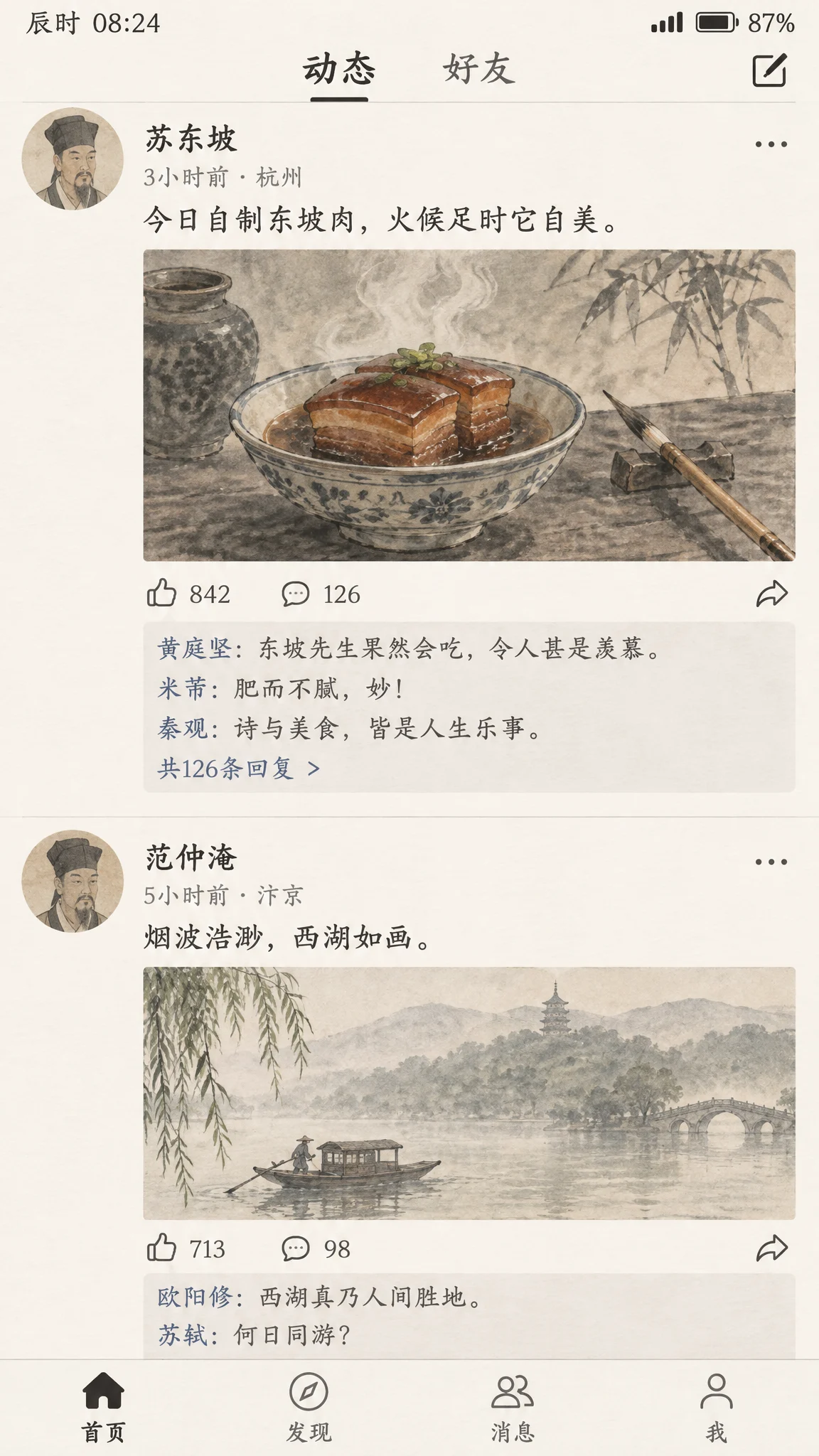
蘇東坡가 동파육 수묵화를 올리고 다른 시인들이 댓글을 단 휴대폰 SNS 화면 캡처.
02 / 9:16WebP

송나라 SNS 피드

蘇東坡가 동파육 사진을 올리고 黃庭堅, 米芾 등 시인들이 댓글을 답니다. 사진은 수묵화풍입니다.

생성에 사용한 설명 보기

A realistic smartphone screenshot of a social media feed, reimagined as if it existed in the Song Dynasty. The top post is by the poet Su Dongpo: an ink-wash photo of a steaming bowl of braised pork beside a calligraphy brush, with the caption in Chinese "今日自制东坡肉,火候足时它自美". Below it are likes and short replies from other Song Dynasty literati in Chinese, plus a second post showing a misty West Lake boat scene. Clean modern app layout with avatars, timestamps and like icons, but every image inside uses traditional Chinese painting style. All Chinese text must be legible and correctly written. No real app logos, no watermark.

이 예시 사용
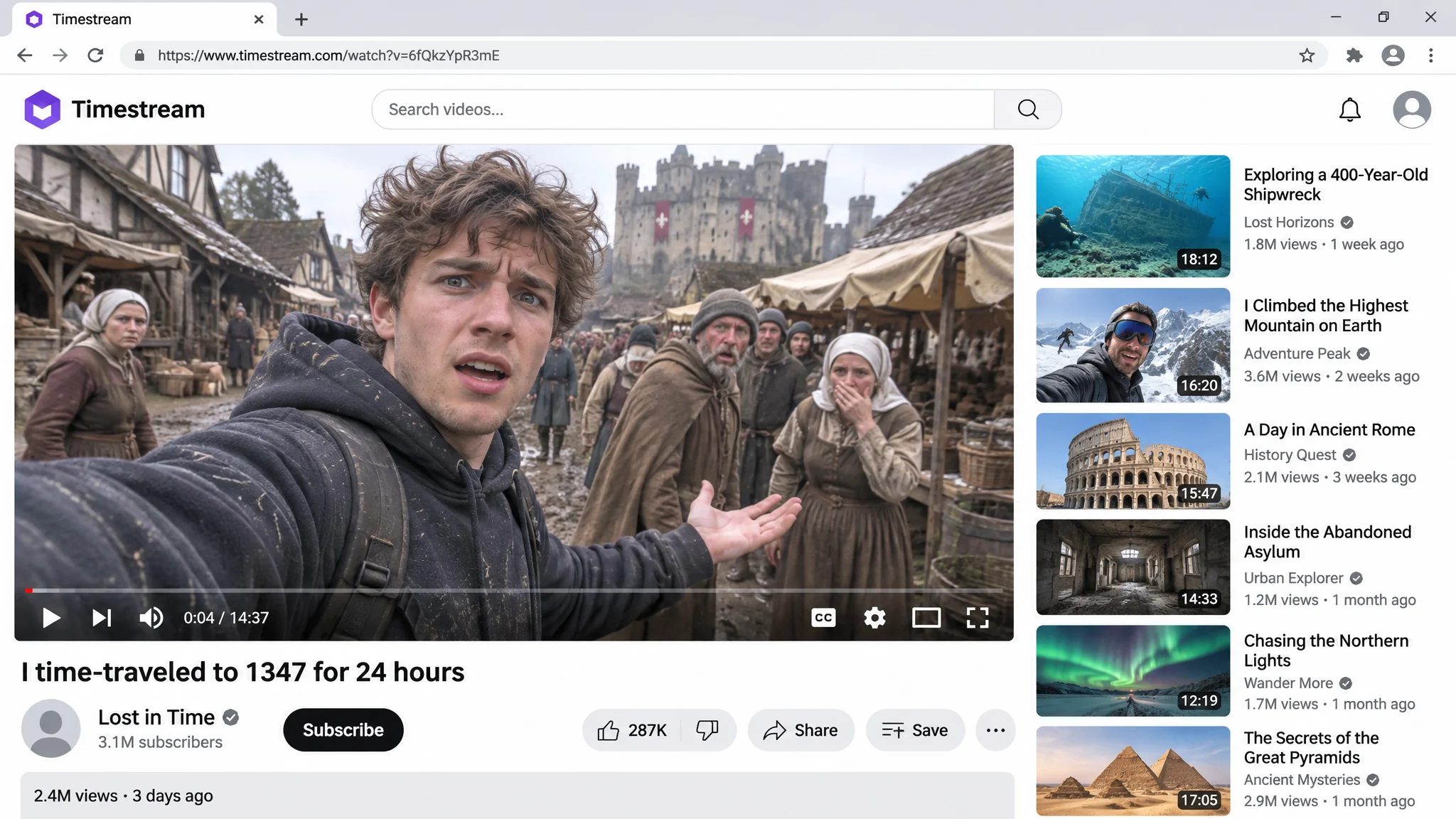
메인 동영상에서 후드티를 입은 남성이 중세 시장에서 셀카를 찍고, 오른쪽에 추천 동영상이 있는 동영상 사이트 페이지.
03 / 16:9WebP

시간 여행 동영상 스크린샷

가상의 동영상 사이트 페이지: 브이로거가 중세 시장에서 셀카를 찍고, 제목, 조회수와 추천 목록이 읽을 수 있게 표시됩니다.

생성에 사용한 설명 보기

Screenshot of a video platform page in a desktop browser. The main video player shows a vlogger in a modern hoodie filming a selfie in a muddy medieval village market, with confused villagers, wooden stalls and a castle in the background. Video title under the player: "I time-traveled to 1347 for 24 hours". Below it: a generic channel avatar, the channel name "Lost in Time", a subscribe button and the line "2.4M views · 3 days ago". A column of recommended video thumbnails on the right. The site logo in the top-left corner is a purple rounded hexagon with the word "Timestream" next to it; do not use any red play-button logo or any real video platform branding. All text crisp and correctly spelled. No watermark.

이 예시 사용
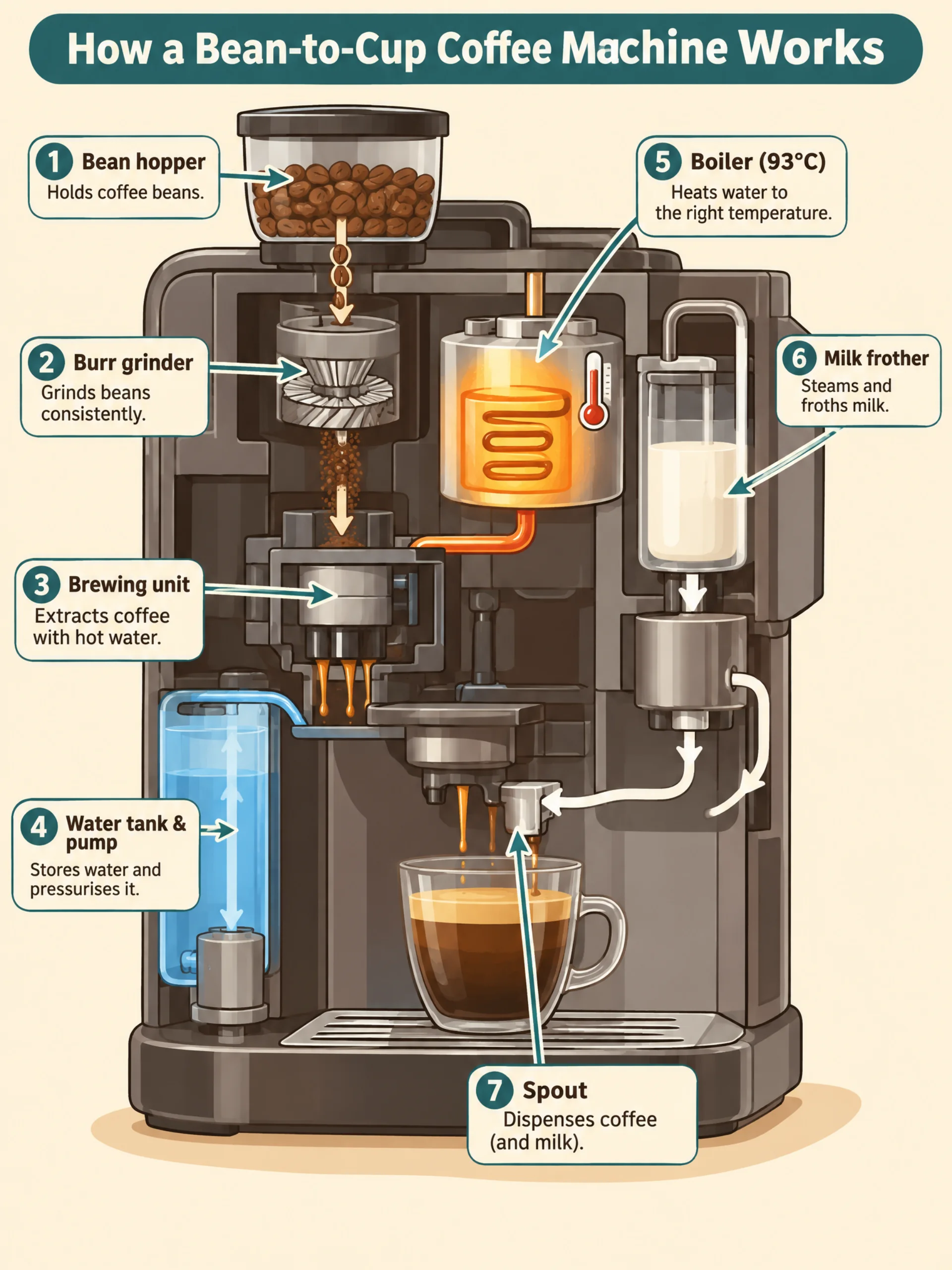
원두 호퍼, 그라인더, 추출 유닛, 물탱크, 보일러, 우유 거품기와 추출구를 표시한 전자동 커피 머신 단면 인포그래픽.
04 / 3:4WebP

커피 머신 인포그래픽

전자동 커피 머신의 원두 호퍼와 그라인더부터 추출구까지 각 부품을 1부터 7까지 번호로 표시하고, 단계마다 한 줄 설명을 붙였습니다.

생성에 사용한 설명 보기

A clean educational infographic titled "How a Bean-to-Cup Coffee Machine Works". A cutaway illustration of a generic automatic espresso machine, with numbered callouts in order: "1 Bean hopper", "2 Burr grinder", "3 Brewing unit", "4 Water tank & pump", "5 Boiler (93°C)", "6 Milk frother", "7 Spout". Thin arrows show the path of beans, water and milk. Warm cream background, coffee-brown and teal accents, flat vector style, clear sans-serif labels, one short caption under each step. All text spelled exactly as written. No brand names, no watermark.

이 예시 사용
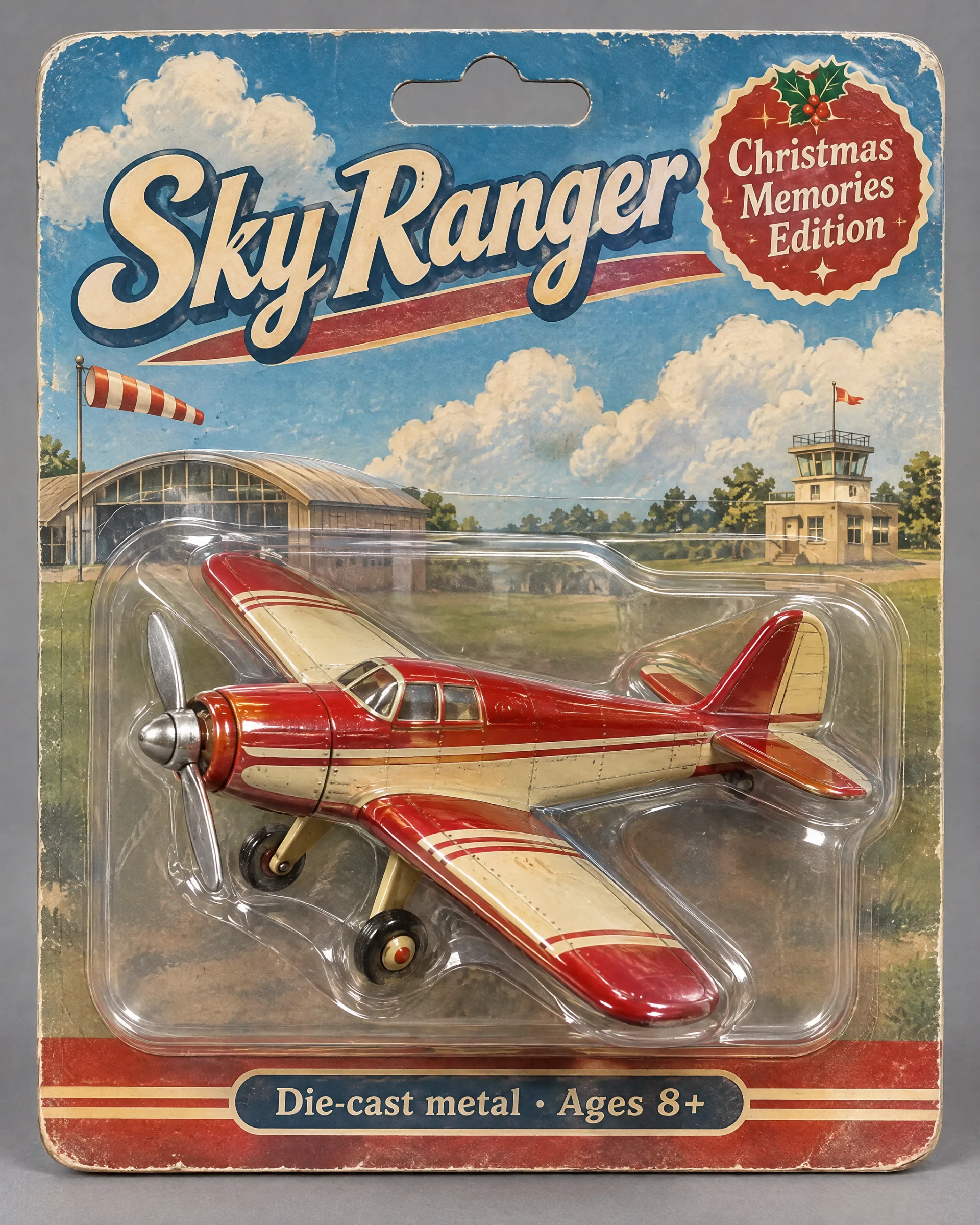
Sky Ranger와 Christmas Memories Edition이 적힌 블리스터 포장 속 빨간색과 크림색의 빈티지 장난감 비행기.
05 / 4:5WebP

빈티지 장난감 비행기 패키지

빨간색과 크림색의 양철 장난감 비행기가 블리스터 포장에 들어 있습니다. 대지의 제목과 작은 글자는 프롬프트와 일치합니다.

생성에 사용한 설명 보기

Product photo of a collectible vintage toy propeller airplane sealed in a retro blister pack. The plane is painted cherry red and cream with a tin finish, held in a clear plastic shell on an illustrated cardboard backing showing clouds and a small airfield. Package text: large title "Sky Ranger", a badge "Christmas Memories Edition", and a small line "Die-cast metal · Ages 8+". Soft studio light, slight reflections on the plastic, neutral grey backdrop. All text spelled exactly as written. No real brand logos, no watermark.

이 예시 사용
06 / 1:1512 × 512

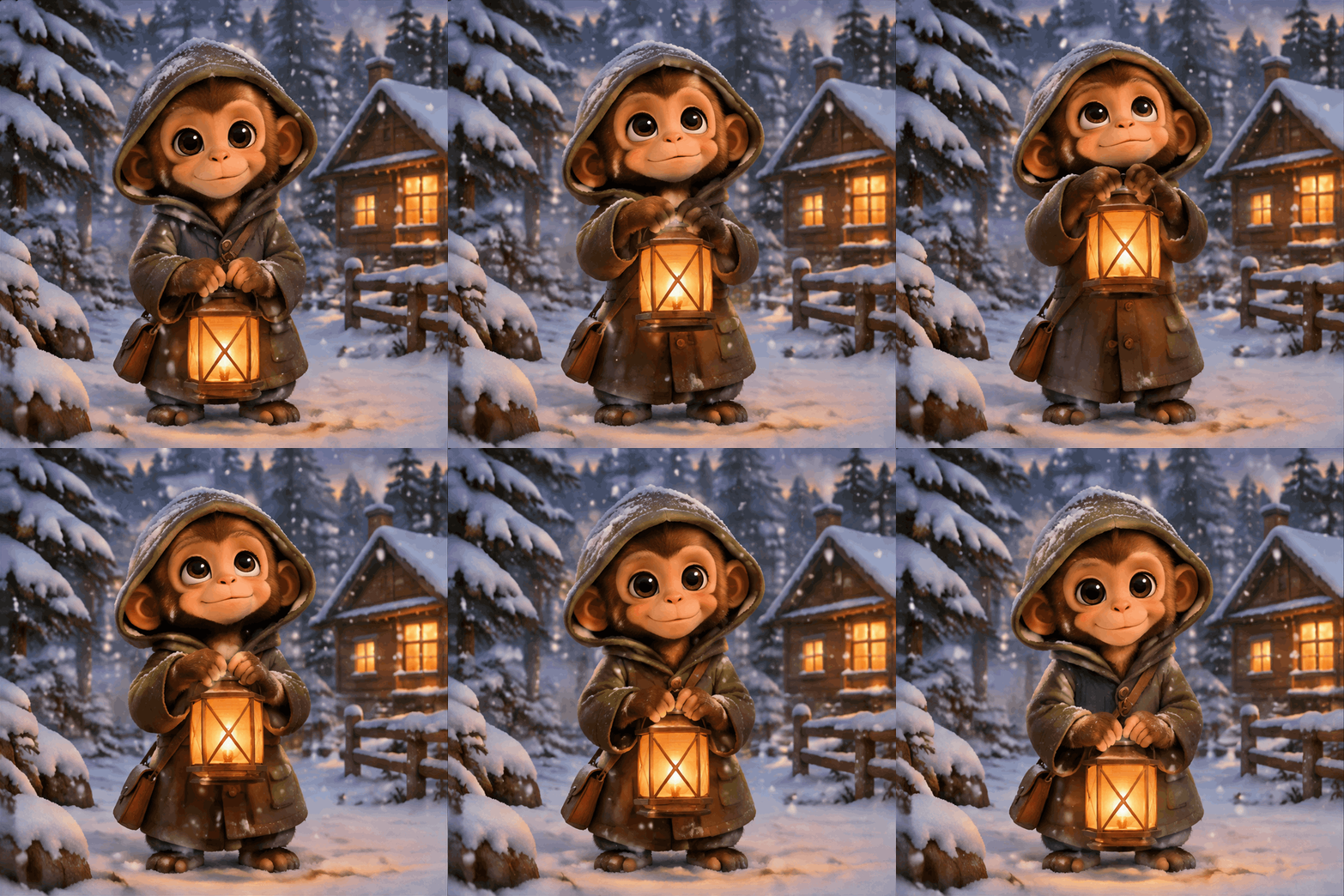
등불을 든 아기 원숭이(GIF)

OpenAI 공식 GIF 예시: 눈 속에서 아기 원숭이가 등불을 들어 올리고 눈을 깜빡인 뒤 다시 내리는 동작이 반복됩니다.

생성에 사용한 설명 보기

A seamless looping animated GIF. A little monkey in an olive-green hooded coat stands in a snowy pine forest at dusk, with a glowing wooden cabin in the background. The monkey holds an amber paper lantern at chest height, slowly raises it, looks up and blinks, then lowers it back to the starting pose. The lantern stays in its hands the whole time, gentle snow falls, the camera does not move. Warm storybook illustration style. Make the motion loop smoothly. No text.

이 예시 사용
07 / 1:1512 × 512

선글라스를 내리는 고양이(GIF)

리액션 GIF: 치즈 고양이가 선글라스를 내리고 눈썹을 올린 뒤 다시 선글라스를 밀어 올립니다.

생성에 사용한 설명 보기

A seamless looping reaction GIF. A cartoon orange cat sits facing the camera wearing black sunglasses. It slowly lowers the sunglasses with one paw, raises one eyebrow with a smug look, then pushes the sunglasses back up and returns to the starting pose. Large character filling most of the frame, bold flat colors, clean outlines, plain soft yellow background, camera does not move, the last frame flows back into the first. No text.

이 예시 사용
08 / 1:1512 × 512

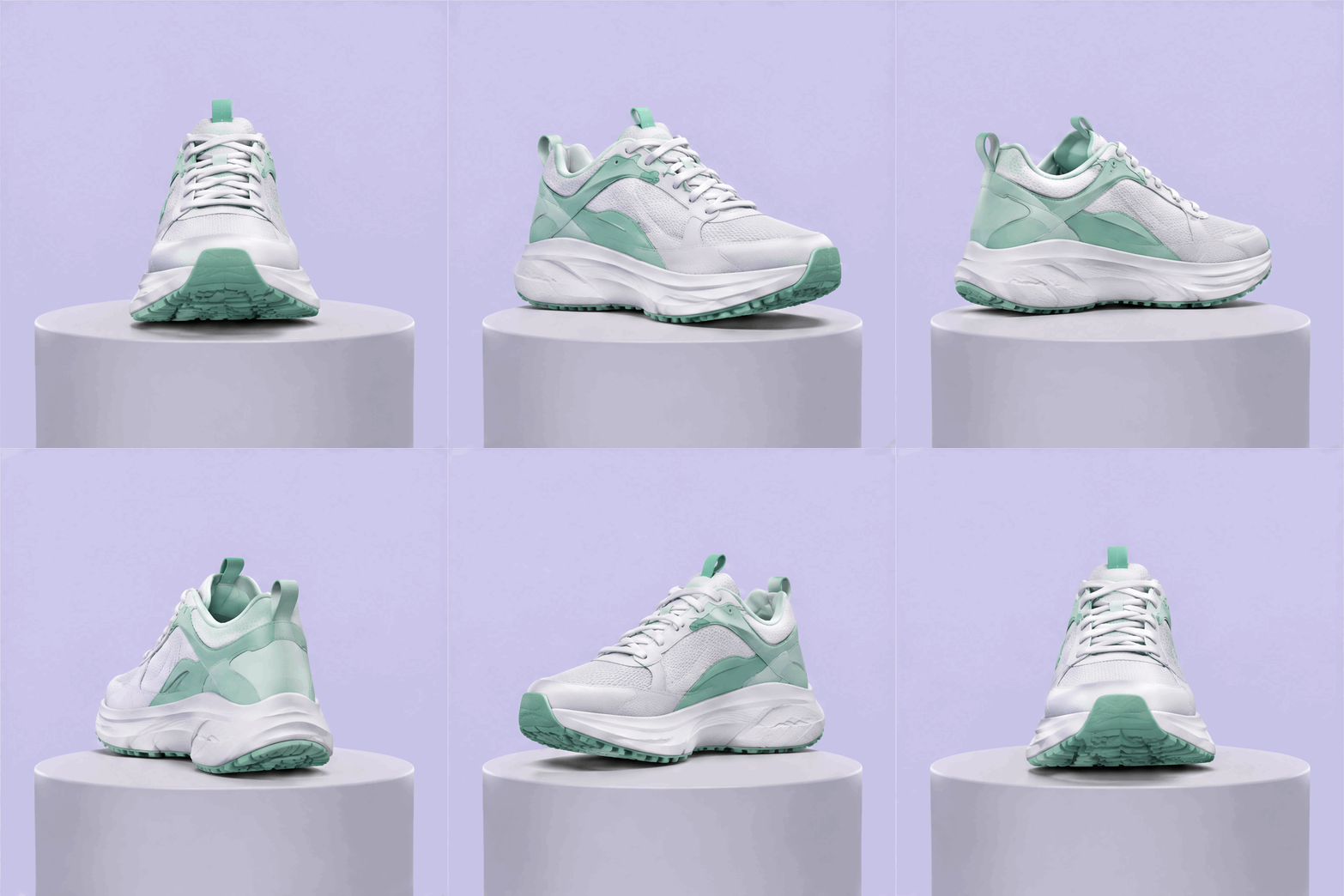
운동화 360° 회전(GIF)

상품 반복 GIF: 운동화가 받침대 위에서 한 바퀴 돌며 크기와 위치는 그대로 유지됩니다.

생성에 사용한 설명 보기

A seamless looping product GIF of a white and mint-green running sneaker rotating a full 360 degrees on a small round light-grey pedestal. Soft studio lighting with a gentle shadow under the shoe, plain pale lavender background, the sneaker stays centered and the same size in every frame, the camera does not move, smooth even rotation so the last frame flows back into the first. No logos, no text.

이 예시 사용

GPT Image 2.6으로 무엇을 만들까요?

GPT Image 2.6은 OpenAI의 최신 이미지 모델로, 2.5보다 빠르게 생성합니다. 텍스트만 입력하면 OVOV는 더 빠른 Flare 버전을 사용합니다. 참조 이미지를 업로드해 편집하면 여러 번 편집해도 세부가 더 일관되게 유지되는 Sunburst 버전을 사용합니다. 버전은 직접 선택하지 않으며, 두 버전의 크레딧은 같습니다.

사용 가능한 설정

해상도
1K / 2K / 4K / GIF
화면 비율
auto · 1:1 · 3:2 · 2:3 · 4:3 · 3:4 · 5:4 · 4:5 · 16:9 · 9:16 · 2:1 · 1:2 · 21:9 · 9:21 · 3:1 · 1:3
참조 이미지
4

텍스트 이미지 생성과 이미지 편집

  • 1K — 6 크레딧
  • 2K — 8 크레딧
  • 4K — 10 크레딧
  • GIF — 10 크레딧

제출 전에 작업 공간에서 현재 선택한 설정의 크레딧 견적을 확인하세요.

요금제와 크레딧 패키지 보기

이 모델이 지원하는 기능

텍스트로 이미지 생성, 참조 이미지 편집, 세 가지 출력 크기.

텍스트로 생성하기

주제, 배경, 구도와 용도를 설명하세요. 이미지에 들어갈 문구는 따옴표로 표시하세요.

참조 이미지로 편집하기

최대 네 장까지 업로드하고 유지할 부분과 바꿀 부분을 알려주세요.

GIF 애니메이션 만들기

텍스트-이미지에서 해상도를 GIF로 설정하면 약 1.4초 길이의 반복 GIF를 만들 수 있습니다. GIF 하나에 10 크레딧입니다.

시작하는 방법

한 장을 생성해 확인한 뒤 설명을 조정하세요.

1

설명 입력

주제, 배경과 용도를 적으세요. 기존 이미지를 바꾸려면 먼저 참조 이미지로 업로드하세요.

2

화면 비율과 해상도 선택

화면 비율과 출력 크기를 고르고 크레딧 견적을 확인한 뒤 "창작 시작"을 클릭하세요.

3

확인하고 다운로드

글자, 가장자리와 상품 세부를 확인하세요. 수정할 때는 한 번에 지시 하나씩 바꾸세요.

이 프롬프트를 사용해 보세요

프롬프트 예시

연한 회색 석재 카운터 위에 놓인 호박색 유리병의 페이스 세럼, 옆에는 신선한 유칼립투스 잎 두 장. 부드러운 위쪽 조명, 흐린 배경. 왼쪽 위에 제목 “나이트 리페어”를 넣어주세요.

최종 디자인에 사용하기 전에 생성된 글자를 확인하세요.

생성 전에 알아둘 점

GPT Image 2.6 자주 묻는 질문

버전, 비용과 결과물에 대한 안내.