GPT Image 2.6 画像生成・編集ツール

商品写真、ポスターのラフ、イラストを文章で説明して生成します。既存の画像を編集するときは、参照画像をアップロードして変更内容を説明します。

薄い文字は入力例です。説明を入力すると生成ボタンを押せます。

アスペクト比
解像度

GPT Image 2.6 / 08

GPT Image 2.6の生成例

以下の画像 5 枚と GIF 3 本は、すべて GPT Image 2.6 で生成したものです。題材は広く共有された事例と OpenAI の公式例から選びました:極小の文字、宋代の SNS 画面、動画サイトのスクリーンショット、インフォグラフィック、おもちゃのパッケージ、そしてキャラクター、リアクション、商品回転の GIF です。

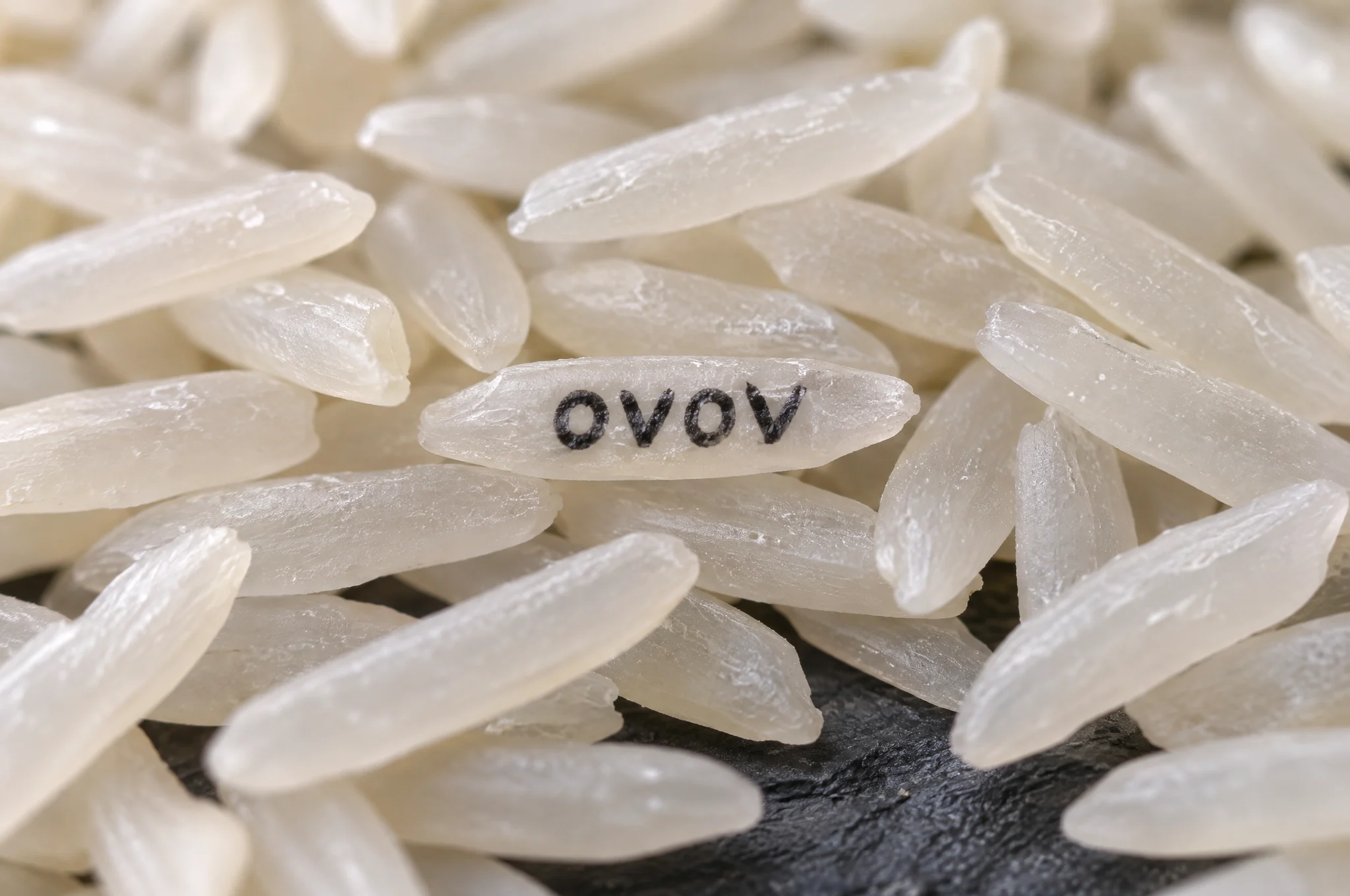
白米のマクロ写真。中央の 1 粒に黒い文字で OVOV と印字されている。
01 / 3:2WebP

米粒に書かれた文字

米の山の中で、1 粒だけに「OVOV」と書かれています。とても小さな文字を正しく描けるかを確かめる例です。

生成に使った指示文を見る

Extreme macro photograph of a large pile of white jasmine rice on a dark slate surface. On one single grain in the center, tiny hand-painted black letters read "OVOV". Shallow depth of field, the lettered grain in sharp focus, every other grain softly blurred, soft side light showing the texture of the rice. Only that one word appears in the image. No watermark.
この例を使う
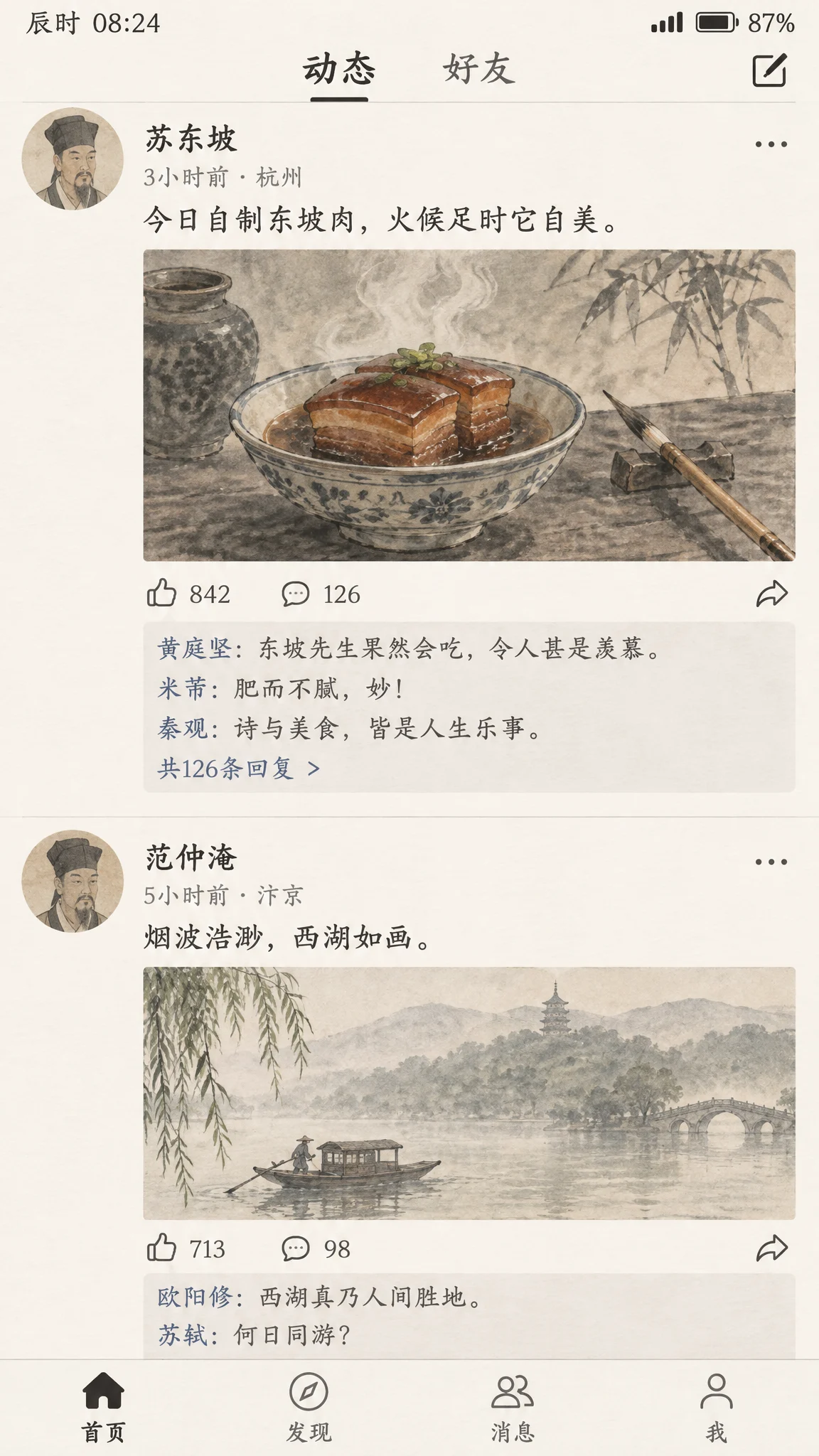
スマホの SNS 画面のスクリーンショット。蘇東坡が東坡肉の水墨画を投稿し、ほかの詩人がコメントしている。
02 / 9:16WebP

宋代の SNS タイムライン

蘇東坡が東坡肉を投稿し、黄庭堅や米芾などの詩人がコメントしています。画像は水墨画風です。

生成に使った指示文を見る

A realistic smartphone screenshot of a social media feed, reimagined as if it existed in the Song Dynasty. The top post is by the poet Su Dongpo: an ink-wash photo of a steaming bowl of braised pork beside a calligraphy brush, with the caption in Chinese "今日自制东坡肉,火候足时它自美". Below it are likes and short replies from other Song Dynasty literati in Chinese, plus a second post showing a misty West Lake boat scene. Clean modern app layout with avatars, timestamps and like icons, but every image inside uses traditional Chinese painting style. All Chinese text must be legible and correctly written. No real app logos, no watermark.

この例を使う
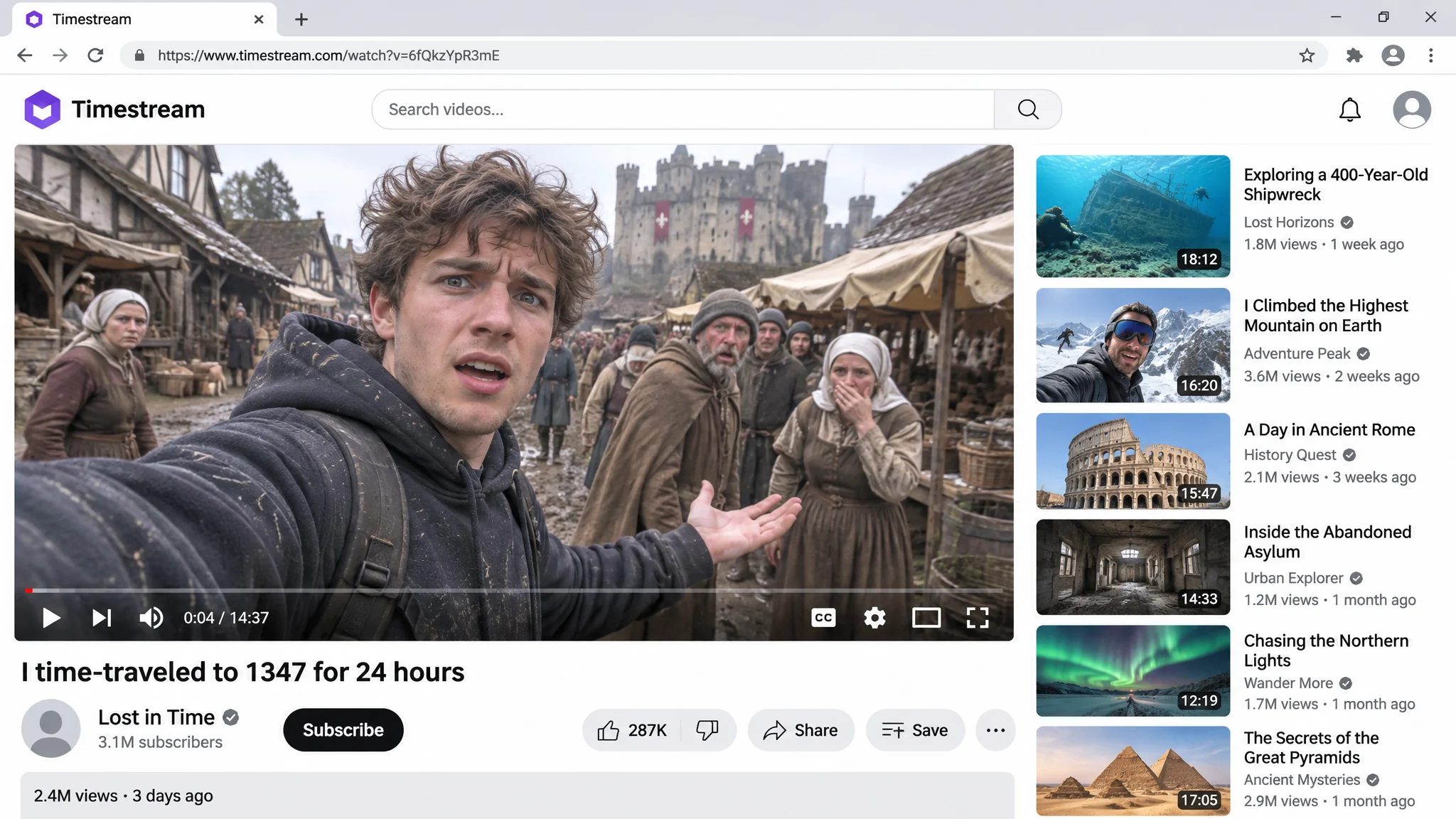
動画サイトのページ。メイン動画ではパーカー姿の男性が中世の市場で自撮りし、右側におすすめ動画が並ぶ。
03 / 16:9WebP

中世にタイムトラベルした動画のスクリーンショット

架空の動画サイトのページ:Vlogger が中世の市場で自撮りしています。タイトル、再生回数、おすすめ動画が読める状態で表示されます。

生成に使った指示文を見る

Screenshot of a video platform page in a desktop browser. The main video player shows a vlogger in a modern hoodie filming a selfie in a muddy medieval village market, with confused villagers, wooden stalls and a castle in the background. Video title under the player: "I time-traveled to 1347 for 24 hours". Below it: a generic channel avatar, the channel name "Lost in Time", a subscribe button and the line "2.4M views · 3 days ago". A column of recommended video thumbnails on the right. The site logo in the top-left corner is a purple rounded hexagon with the word "Timestream" next to it; do not use any red play-button logo or any real video platform branding. All text crisp and correctly spelled. No watermark.

この例を使う
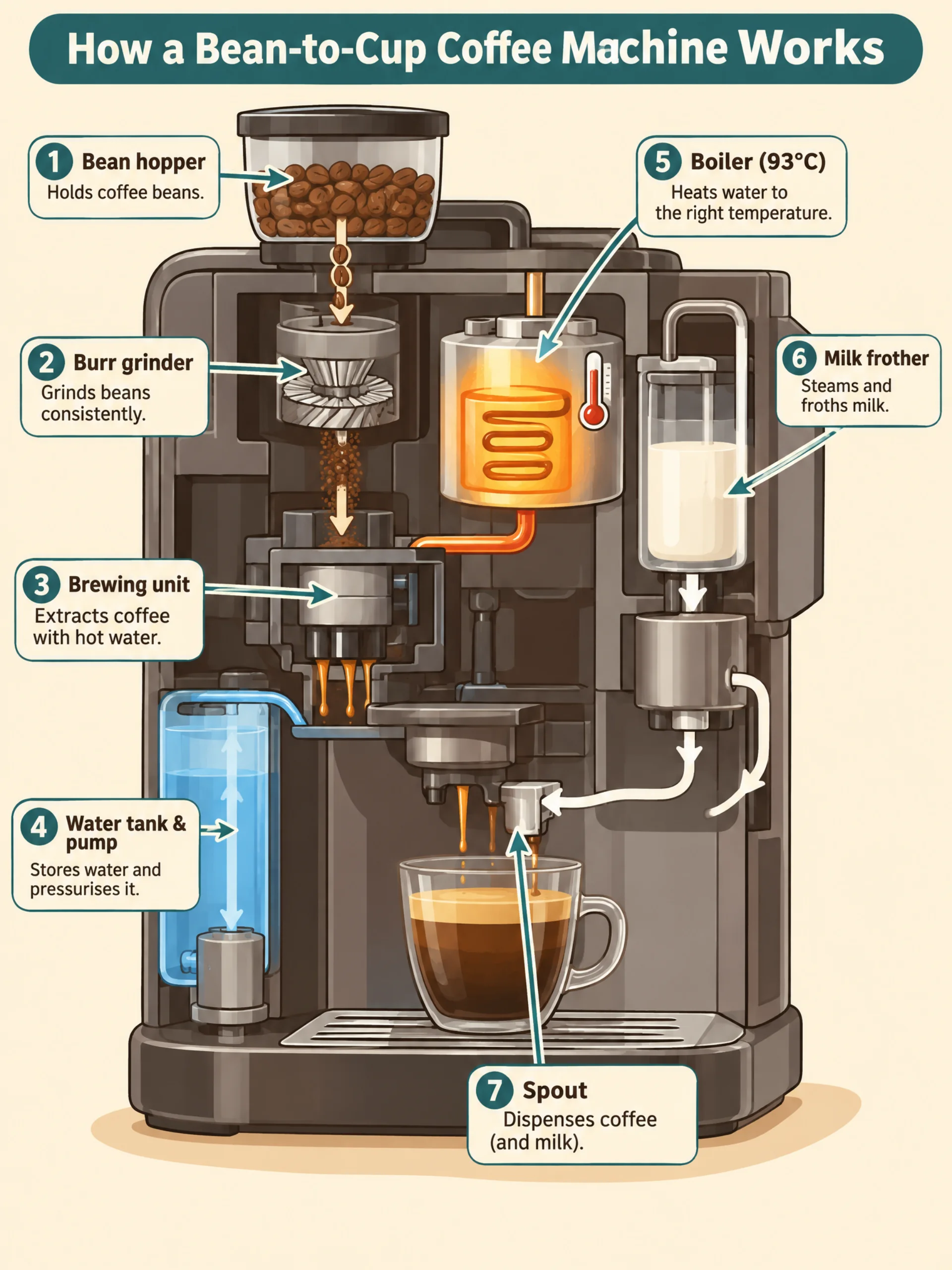
全自動コーヒーマシンの断面インフォグラフィック。豆ホッパー、グラインダー、抽出ユニット、水タンク、ボイラー、ミルクフォーマー、抽出口を表示。
04 / 3:4WebP

コーヒーマシンのインフォグラフィック

全自動コーヒーマシンの各部を、豆ホッパーやグラインダーから抽出口まで 1 から 7 の番号で示し、各ステップに 1 行の説明を付けています。

生成に使った指示文を見る

A clean educational infographic titled "How a Bean-to-Cup Coffee Machine Works". A cutaway illustration of a generic automatic espresso machine, with numbered callouts in order: "1 Bean hopper", "2 Burr grinder", "3 Brewing unit", "4 Water tank & pump", "5 Boiler (93°C)", "6 Milk frother", "7 Spout". Thin arrows show the path of beans, water and milk. Warm cream background, coffee-brown and teal accents, flat vector style, clear sans-serif labels, one short caption under each step. All text spelled exactly as written. No brand names, no watermark.

この例を使う
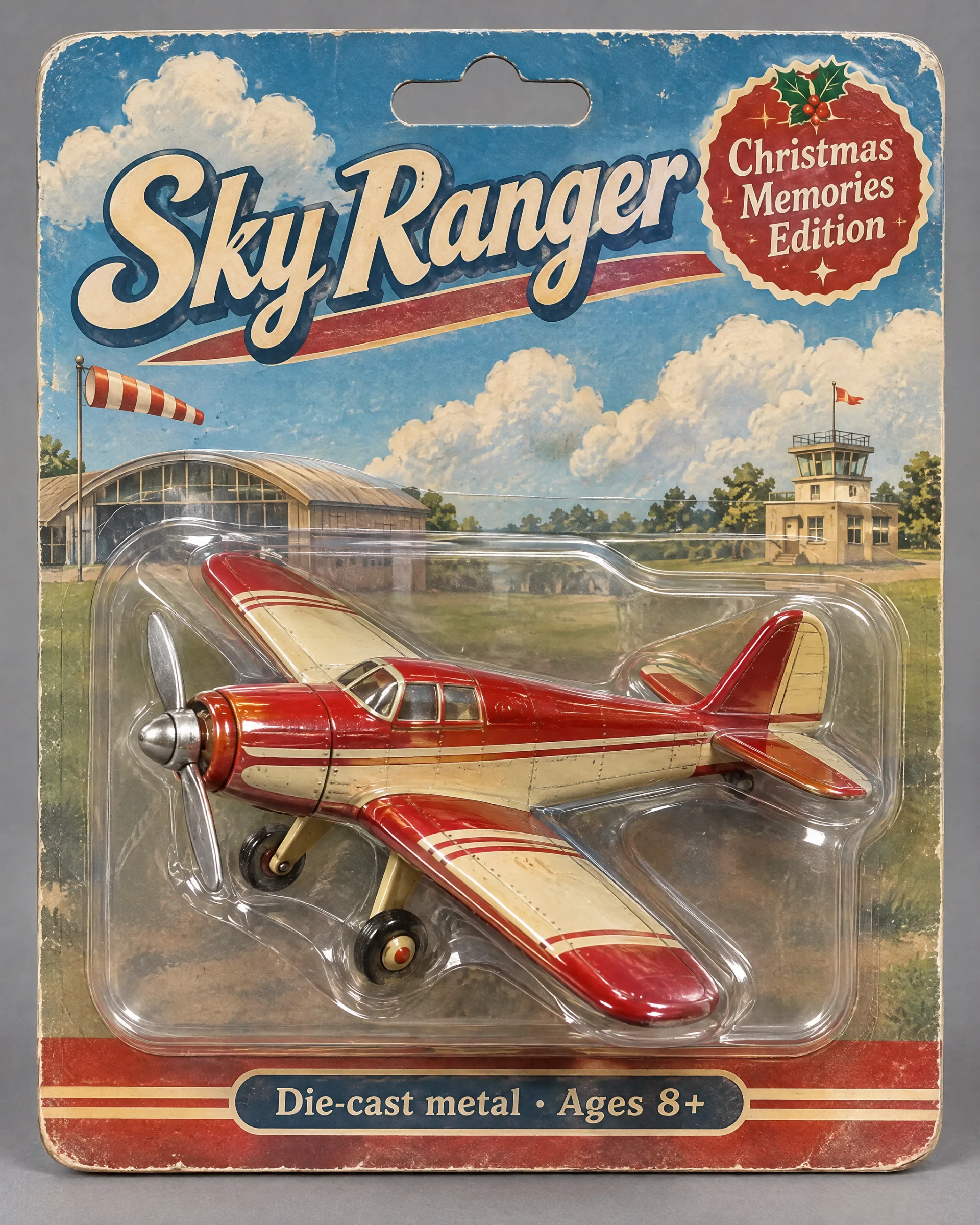
Sky Ranger と Christmas Memories Edition と書かれたブリスターパック入りの、赤とクリーム色のレトロなおもちゃの飛行機。
05 / 4:5WebP

レトロなおもちゃの飛行機のパッケージ

赤とクリーム色のブリキの飛行機がブリスターパックに入っています。台紙のタイトルと小さな文字はプロンプトどおりです。

生成に使った指示文を見る

Product photo of a collectible vintage toy propeller airplane sealed in a retro blister pack. The plane is painted cherry red and cream with a tin finish, held in a clear plastic shell on an illustrated cardboard backing showing clouds and a small airfield. Package text: large title "Sky Ranger", a badge "Christmas Memories Edition", and a small line "Die-cast metal · Ages 8+". Soft studio light, slight reflections on the plastic, neutral grey backdrop. All text spelled exactly as written. No real brand logos, no watermark.

この例を使う
06 / 1:1512 × 512

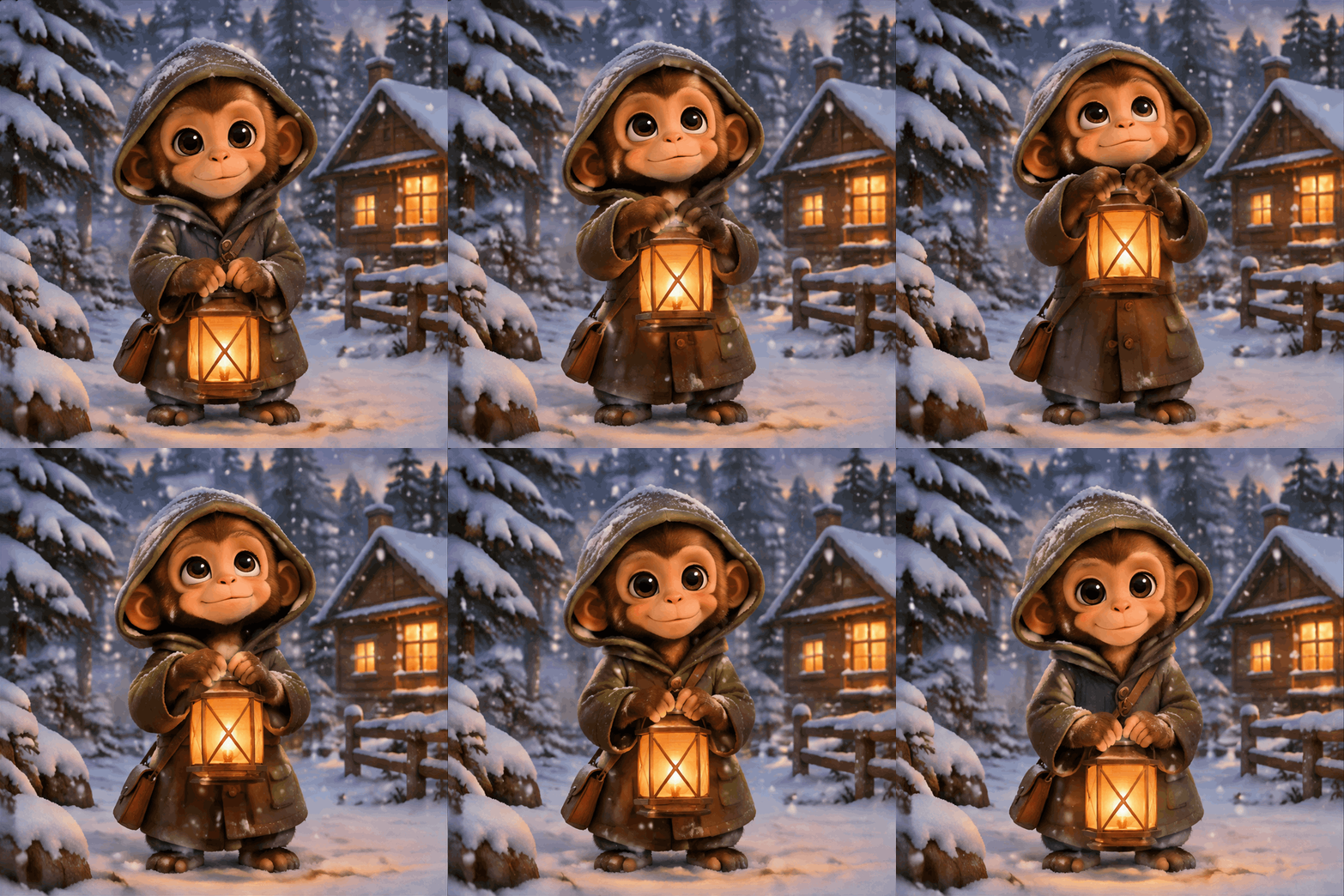
ちょうちんを持つ子ザル(GIF)

OpenAI の公式 GIF 例:雪の中で子ザルがちょうちんを持ち上げ、まばたきして、また下ろす動きをループします。

生成に使った指示文を見る

A seamless looping animated GIF. A little monkey in an olive-green hooded coat stands in a snowy pine forest at dusk, with a glowing wooden cabin in the background. The monkey holds an amber paper lantern at chest height, slowly raises it, looks up and blinks, then lowers it back to the starting pose. The lantern stays in its hands the whole time, gentle snow falls, the camera does not move. Warm storybook illustration style. Make the motion loop smoothly. No text.

この例を使う
07 / 1:1512 × 512

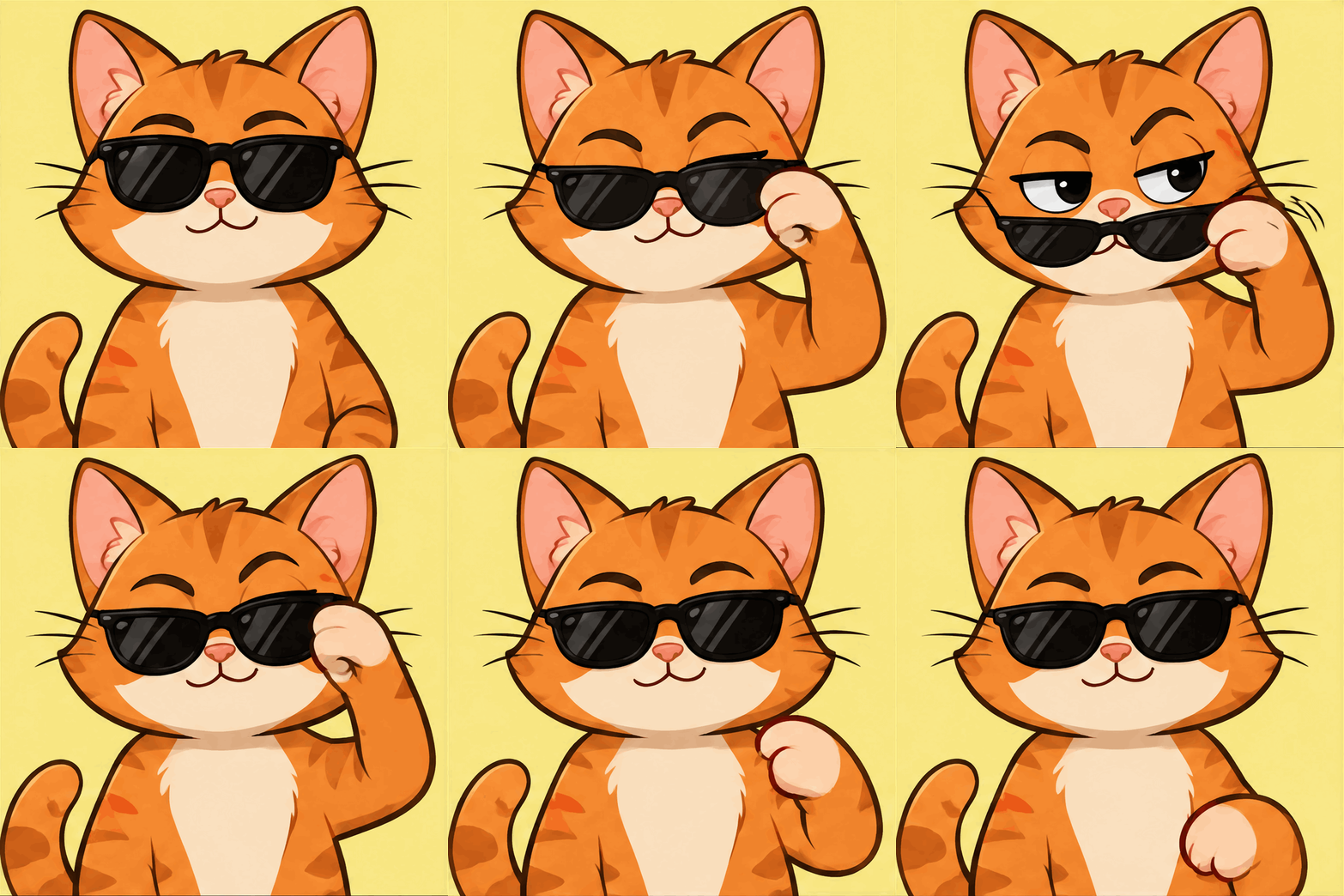
サングラスを下げる猫(GIF)

リアクション GIF:茶トラの猫がサングラスを下げて眉を上げ、またサングラスを押し上げます。

生成に使った指示文を見る

A seamless looping reaction GIF. A cartoon orange cat sits facing the camera wearing black sunglasses. It slowly lowers the sunglasses with one paw, raises one eyebrow with a smug look, then pushes the sunglasses back up and returns to the starting pose. Large character filling most of the frame, bold flat colors, clean outlines, plain soft yellow background, camera does not move, the last frame flows back into the first. No text.

この例を使う
08 / 1:1512 × 512

スニーカーの 360° 回転(GIF)

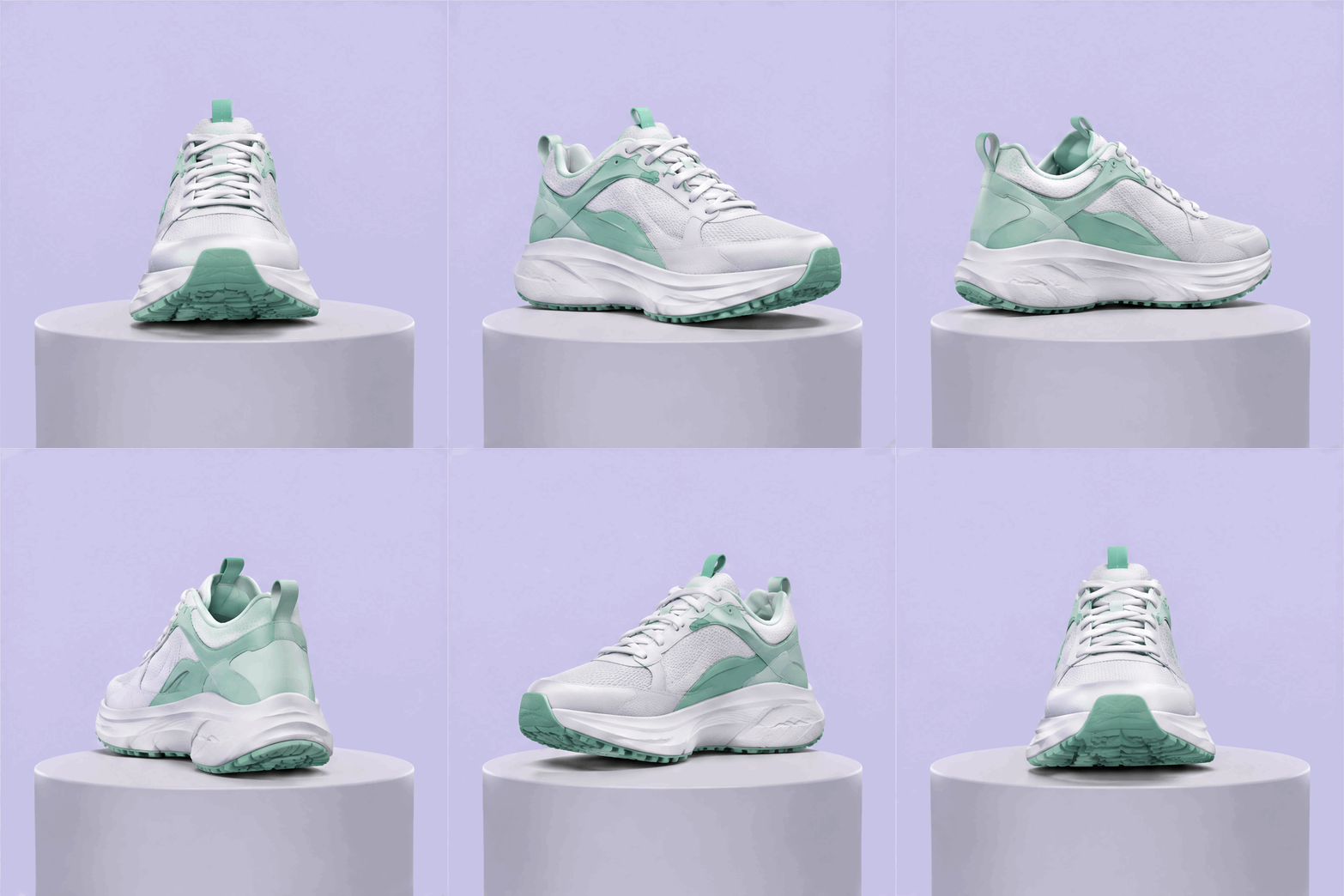
商品のループ GIF:スニーカーが台の上で 1 回転し、大きさと位置は変わりません。

生成に使った指示文を見る

A seamless looping product GIF of a white and mint-green running sneaker rotating a full 360 degrees on a small round light-grey pedestal. Soft studio lighting with a gentle shadow under the shoe, plain pale lavender background, the sneaker stays centered and the same size in every frame, the camera does not move, smooth even rotation so the last frame flows back into the first. No logos, no text.

この例を使う

GPT Image 2.6 で作れるもの

GPT Image 2.6 は OpenAI の最新の画像モデルで、2.5 より速く生成します。文章だけのプロンプトには、OVOV はより速い Flare バージョンを使います。参照画像をアップロードして編集する場合は、編集を重ねても細部が保たれやすい Sunburst バージョンを使います。バージョンを自分で選ぶ必要はなく、どちらも必要クレジットは同じです。

利用できる設定

解像度
1K / 2K / 4K / GIF
アスペクト比
auto · 1:1 · 3:2 · 2:3 · 4:3 · 3:4 · 5:4 · 4:5 · 16:9 · 9:16 · 2:1 · 1:2 · 21:9 · 9:21 · 3:1 · 1:3
参照画像
4

テキストから画像生成・画像編集

  • 1K — 6 クレジット
  • 2K — 8 クレジット
  • 4K — 10 クレジット
  • GIF — 10 クレジット

送信前に、選択中の設定に対するワークスペースのクレジット表示を確認してください。

料金プランとクレジットパック

このモデルでできること

文章からの生成、参照画像での編集、3 種類の出力サイズ。

文章から生成

被写体、場面、構図、用途を説明します。画像内に入れる文字は引用符で囲みます。

参照画像で編集

最大4枚の画像をアップロードし、残す部分と変える部分を指定します。

GIF アニメーションを作成

「テキスト→画像」で解像度を GIF にすると、約 1.4 秒のループ GIF を作成できます。1 本 10 クレジットです。

使い方

まず 1 枚生成して結果を確認し、説明を調整します。

1

説明を入力

被写体、場面、用途を書きます。既存の画像を変更する場合は、先に参照画像としてアップロードします。

2

比率と解像度を選択

比率と出力サイズを選び、必要クレジットを確認してから「制作開始」をクリックします。

3

確認してダウンロード

文字、輪郭、商品の細部を確認します。修正するときは、一度に一つの指示だけ変更します。

このプロンプトを試す

プロンプト例

淡いグレーの石のカウンターに置かれた、琥珀色のガラスボトルに入った美容液。横に新鮮なユーカリの葉を 2 枚。柔らかいトップライト、背景はぼかす。左上に見出し「ナイトリペア」を入れる。

最終レイアウトに使う前に、生成された文字を確認してください。

生成前に確認すること

GPT Image 2.6 のよくある質問

バージョン、料金、生成結果について。